
Code & Tools

All tags

Animated SOG packs 4D Gaussian splat clips with sound into one streamable file

GitHubCode & Tools

arrival.space has open-sourced Animated SOG (.asog), a compact file format and toolkit for 4D Gaussian splats: one file holds a clip of moving Gaussians with full spherical harmonics and, optionally, its soundtrack. Thomas Richter-Trummer announced it on X, where the post passed 280 likes, 39 reposts and 230 bookmarks within a day, and Radiance Fields reposted it. Seven clips can be tried in an arrival.space Space.

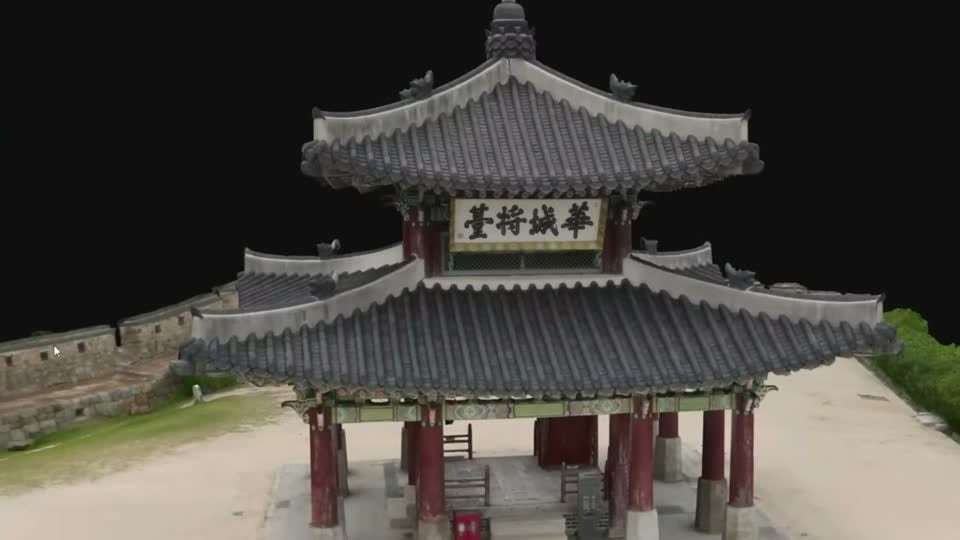
According to the README, an .asog file is about 11 times smaller than the TRiGS runtime files it is made from (one clip shrinks from 319 MB to 28 MB at 45 dB), and a 6 second flip book of per-frame PLYs becomes 8.6 MB instead of 202 MB of per-frame SOG. Each splat lives briefly and moves rigidly, following the TRiGS motion model, while its static attributes are stored the way SOG v2 stores them, so a SOG renderer only has to add the motion. Files stream and decode while downloading, and players for PlayCanvas (WebGPU and WebGL) and three.js evaluate the motion on the GPU. The repository includes the v1 specification, a Python encoder and CLI, and an npm package under the MIT licence; the flip-book pipeline calls the separate AGPL Open4DGS trainer from ASU.
Splatara Cloud Renderer streams PC-rendered splats to up to four Quest headsets

BlogCode & ToolsHardware

Killian Cartelier, Eugene Yew and MakerFred have entered Splatara Cloud Renderer in the Meta VR Start Developer Competition 2026. Radiance Fields reports that a Windows PC with an NVIDIA RTX GPU renders the Gaussian splat scene per eye with a CUDA rasterizer, encodes it as HEVC with NVENC and streams it over Wi-Fi to Meta Quest headsets, which reproject each frame to the latest head pose. Multi-gigabyte captures are split into level of detail files, and one PC serves two headsets by default and up to four.

Sessions begin in passthrough, with a ring that opens onto the captured place. Environment depth and the room scan keep hands, other players or a dog in front of the splats, and headsets in the same room share a spatial anchor so everyone sees the scene in the same place. A PC scenario editor lays out scenes, portals, sounds and rules. The client runs on Unity 6 with URP and Vulkan on OpenXR, and download links are on the Devpost submission.

SplatBox 1.3 brings paged LoD streaming for Quest 3 to Daniel Skaale's Unity splat editor

BlogCode & Tools

Daniel Skaale has released SplatBox 1.3, an update to his Splat Box Editor for Unity. According to Radiance Fields, his announcement on X says the update adds new editing tools and a paged level of detail system that streams splats in Quest 3 standalone builds and on PC VR over a Link cable.

The editor, sold under Skaale’s Simulacrum name with full source code since September, imports and exports PLY and SPZ and offers erase, restore, clone, mask, paint, fill, sculpt, recolor and relight tools, with directional, point, spot and planar lights. The post says a Splat Decimator add-on is included, while the shop still lists Smart Splat Decimator separately at $39. Splat Box Editor for Unity 6.5 and URP is discounted from $199 to $99.50 until 31 December 2026.

KIRI Engine stress-tests its 3DGS to Mesh mode on a single white sheet of paper

XShowcasesCode & Tools

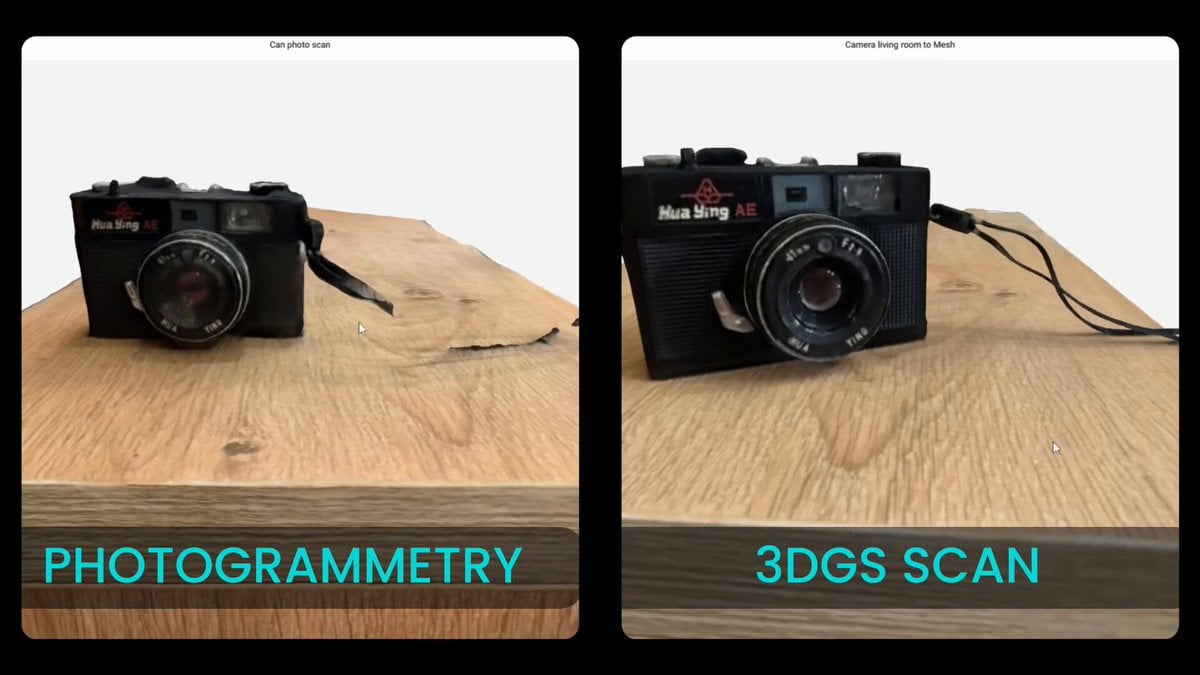
KIRI Engine posted a comparison on X that pits its 3DGS to Mesh mode against traditional photogrammetry on deliberately hard subjects, including what it calls an impossible task: scanning a single white piece of paper. With no features to track and almost no thickness, the team says traditional photogrammetry “just falls apart” on such a subject, and the clip sets the two methods side by side.

KIRI calls it a pure stress test rather than a typical use case, but says “the difference is undeniable” for thin or featureless surfaces. The 28 second clip drew 42 likes and 11 bookmarks within a day.

3ds Max 2027.3 shows Gaussian splats in the viewport, plays 4DGS sequences and exports PLY

BlogCode & Tools

Autodesk has released 3ds Max 2027.3, the second update since native Gaussian splat import arrived in 2027.2 in July. Splats now display directly in the viewport through a GPU splat shader with back-to-front sorting and colours designed to match the renderer, instead of plain coloured points; overlapping splat objects draw by camera depth.

Editable Point and Gaussian Splat objects can load PLY or SPZ files straight from disk, including numbered sequences that play back as 4D Gaussian splats on the timeline. According to Radiance Fields and CG Channel, the update also adds PLY export for splats, a non-destructive Edit Point modifier and a tool that cuts large 3DGS scenes into tiles.

01Splat 0.5.6 runs the whole Gaussian splatting pipeline locally on Windows

BlogCode & Tools

01.space has released 01Splat, a Windows desktop studio that prepares inputs, aligns cameras, trains, edits and exports Gaussian splats on the user’s own PC. It starts from video and photos, 360° captures, a single photo for 2.5D scenes or a prepared COLMAP dataset, and offers a General route plus an Environment route that adds geometry guidance. Radiance Fields reports the current version as 0.5.6.

The free tier carries a non-commercial licence and includes automatic alignment, people masking, MCMC training with live preview and standard splat export. Pro costs $40 per user per month and adds a commercial licence, the Mirror and Tron training profiles, geometry-constrained training and automatic preparation of 360° video and Insta360 .insv files; 4D Gaussian splatting is listed as upcoming. Both plans need sign-in and an online licence check, and the download page asks for an NVIDIA RTX 3060 with 12 GB as the minimum for training.

Splat Studio add-on crops, relights and cleans native splats in Blender 5.3

BlogCode & Tools

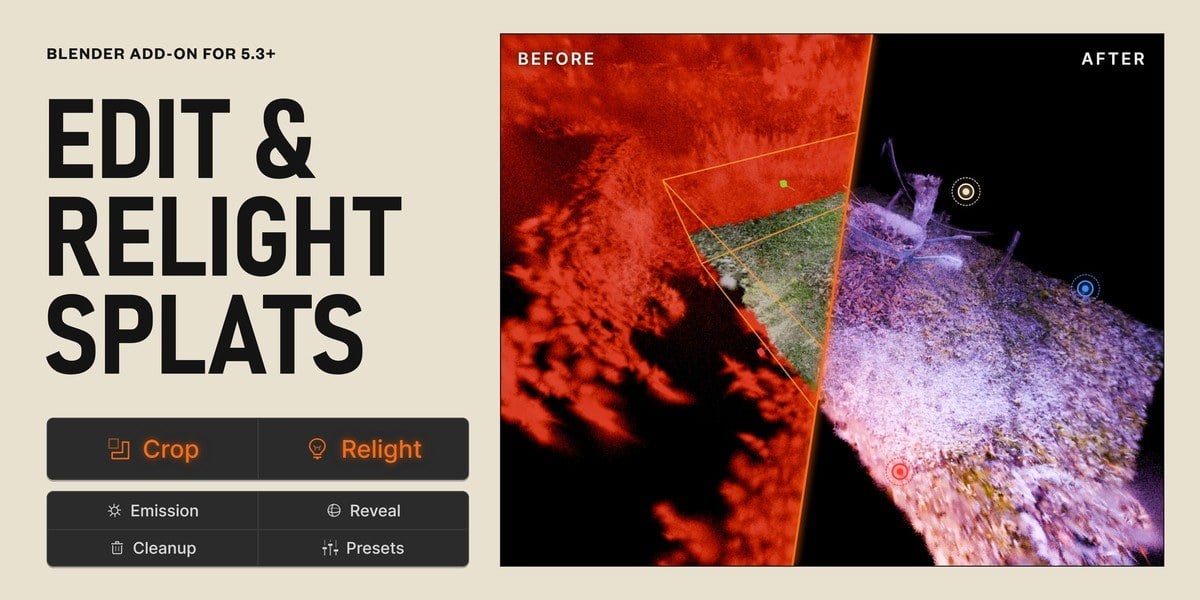
Blender 5.3 imports and renders Gaussian splats but offers no real way to edit them. Splat Studio, a $12.99 GPL add-on by Blendreams (Onur Erdurak) on Superhive Market, fills that gap with one panel in the splat’s Object Data tab: box, sphere or cylinder crops with a red preview of what will be cut, relighting from the point, spot, area and sun lights already in the scene, cleanup of floating islands and oversized splats, plus emission, reveal and colour effects.

Every effect sits in a non-destructive stack that can be reordered and keyframed, with 14 one-click presets, and the result can be exported as a standard 3DGS PLY for SuperSplat, Postshot or Unreal. The listing notes that relighting casts no shadows. Radiance Fields covered the 1.0.0 release.

UnrealTwin runs a foggy Unreal Engine scene as Gaussian splats in phone browsers

LinkedInShowcasesCode & Tools

Ans Shabbir shared on LinkedIn a dense, photogrammetry-based Unreal Engine 5 environment by Scans Factory that runs live in a web browser, even on a smartphone. The post stresses that there is no multi-gigabyte download and no Pixel Streaming: dense fog, overcast lighting and heavy geometry are rendered locally via WebGPU with the original Unreal art direction intact, with ambient sound built into the browser runtime.

The scene is hosted on UnrealTwin, a service that turns Unreal Engine scenes into shareable web links using its Gaussian splatting based SplatForge technology and promises unlimited bandwidth instead of per-viewer streaming costs. The post drew more than 270 reactions and 44 comments within a day.

ANNX Studio 1.6.1 brings MCMC and Xsplat training to Apple Silicon Macs

BlogCode & Tools

EMX has released ANNX Studio 1.6.1, which lets Apple Silicon Macs train Gaussian splats with the MCMC, Xsplat and Default (gsplat) models; Xsplat was previously limited to Windows machines with NVIDIA GPUs. The Mac training engine is a one-time download of about 108 MB, as Radiance Fields reports, and ANNX announced the update on X.

A new live preview lets users rotate the model in the Preview tab while it trains, and a job stopped partway can keep the model trained so far. Xsplat is part of the PRO and Enterprise tiers, with PRO listed at $20 a month.

Hi3D 1.0 goes open source and rebuilds coarse AI meshes with sharp detail

GitHubCode & Tools

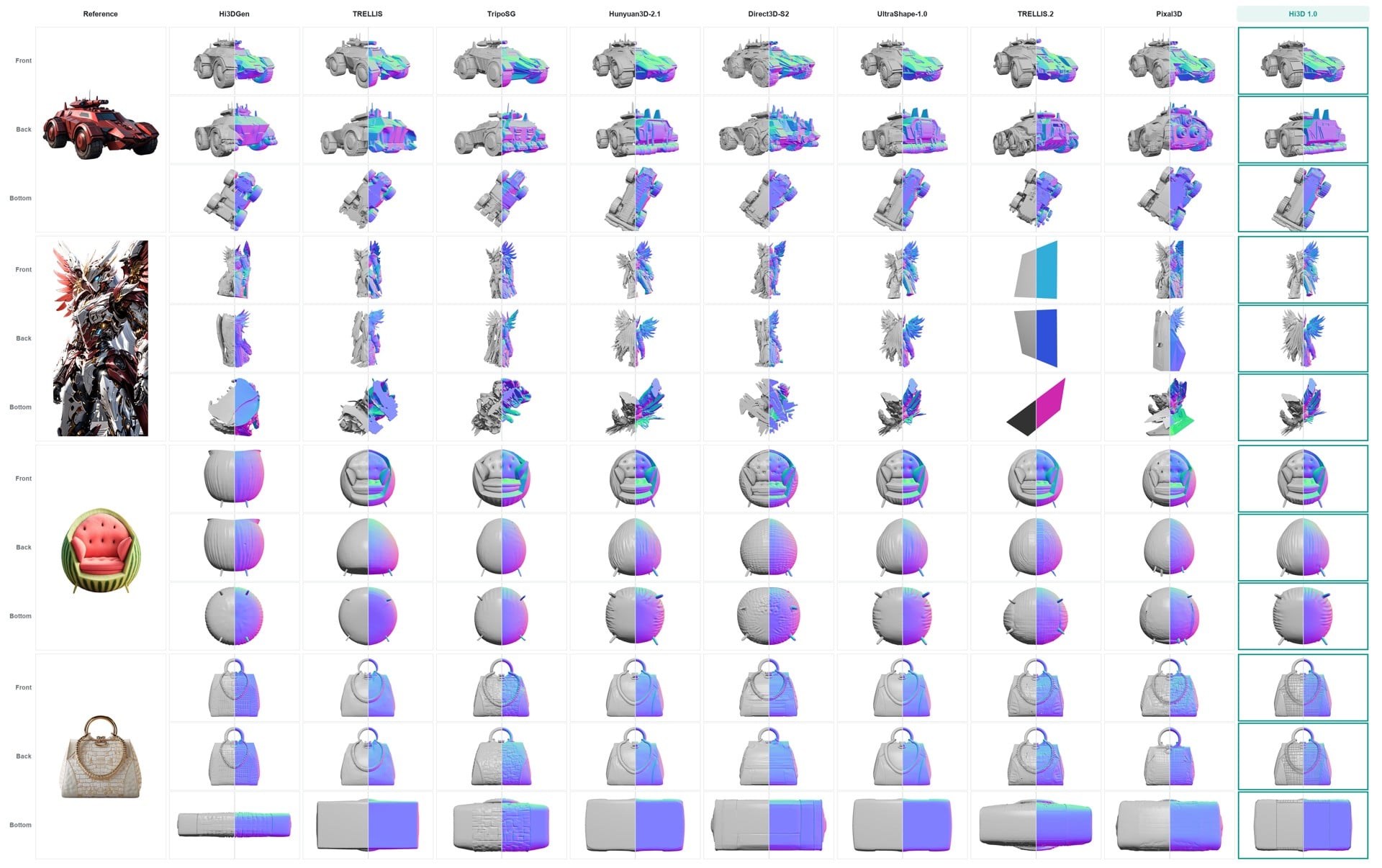
Hi3D v1.0 is now open source: a refiner that takes a coarse mesh, for example from TRELLIS 2 or Pixal3D, plus a reference image of the object, and rebuilds it with sharp detail and almost no holes. It was tested locally side by side with meshes from both. The repository has passed 700 stars on GitHub.

Built on the Sparc3D representation, Hi3D refines in up to three passes to an effective sparse extraction grid of 1536³, and its report describes training on about two million curated 3D assets. The release contains inference code, a Python API and weights on Hugging Face, under the Hi3D Open License; training code is not included. It needs Linux, Python 3.10 and an NVIDIA GPU with compute capability 8.0 or newer, and the highest resolution has only been validated on a 96 GB NVIDIA H20.

ASU open-sources Open4DGS for 4D splats from consumer cameras without genlock

BlogCode & ToolsHardware

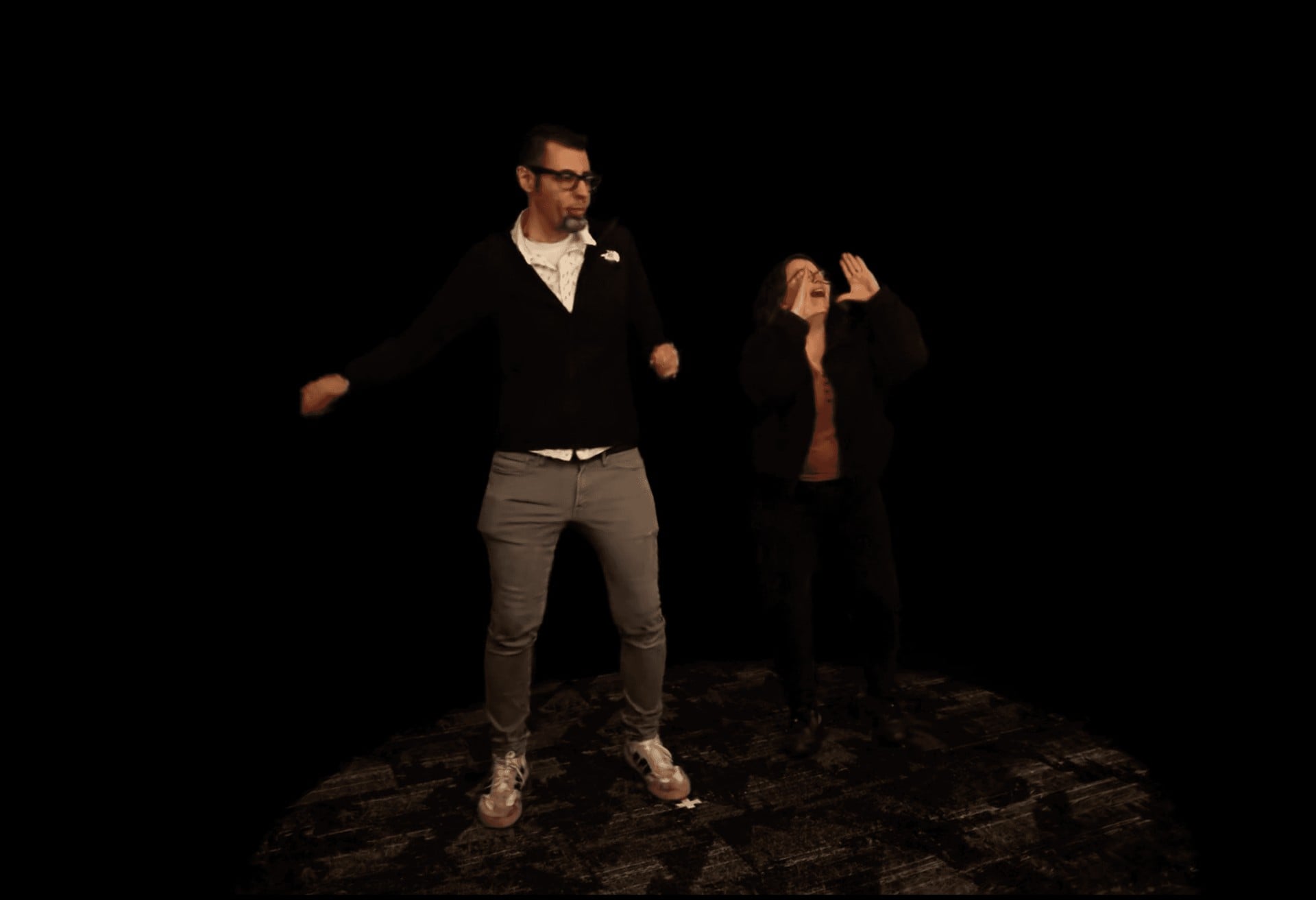
Arizona State University’s Narrative and Emerging Media program has released Open4DGS, an open-source pipeline that turns multi-camera footage from consumer cameras such as GoPros or Sony action cameras into 4D Gaussian splatting sequences. Instead of an expensive genlocked rig, a solver estimates each camera’s sub-frame timing offset and rolling shutter readout from epipolar flow between calibrated camera pairs, and falls back to timecode when its consistency checks fail, as Radiance Fields reports.

The seven-stage pipeline uses COLMAP for calibration, Background Matting V2 or SAM 2 for masks, RoMa v2 and MEMFOF for matching, and a training core based on TRiGS with a fixed primitive count, so GPU memory stays constant over long captures. Output is a .trigsbin timeline plus per-frame PLY files for Blender, Unreal Engine and WebGL viewers. The code is split into Open4DGS-Core and Open4DGS-Trigs under MIT and AGPL-3.0, written by Contrast Media Labs for the program. A Unity plugin and web SDKs based on Spark and three.js are on the roadmap.

Esri makes ArcGIS Reality Server generally available, with Gaussian splats

BlogIndustryCode & Tools

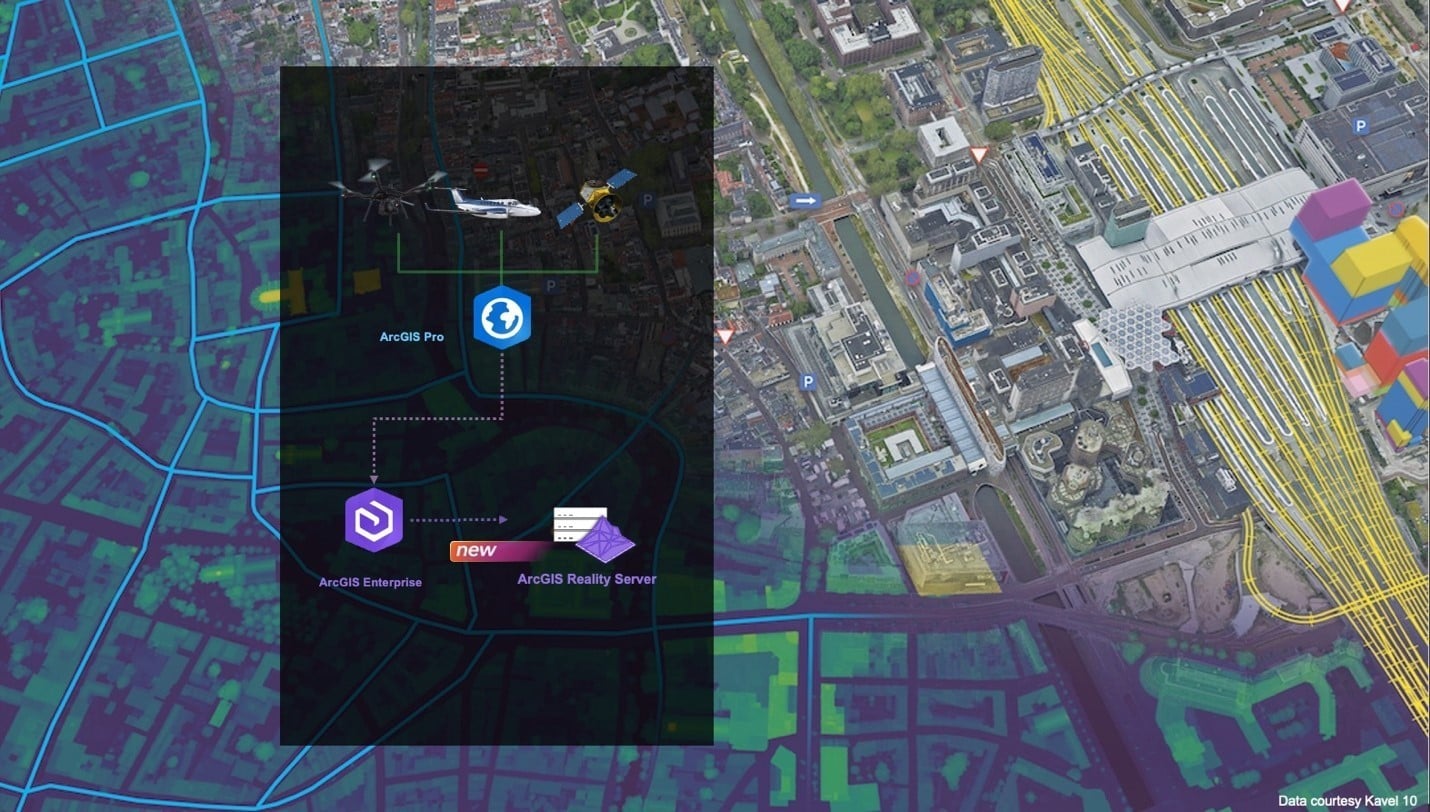
Esri has made ArcGIS Reality Server generally available with ArcGIS Enterprise 12.2. It is a self-hosted server role that processes large collections of drone, aerial and satellite imagery inside an organisation’s own GIS, on premises or in Microsoft Azure, and turns them into true orthos, elevation models, point clouds, 3D meshes and Gaussian splats. Reality Server was a beta feature in Enterprise 12.0 and 12.1.

According to the documentation, work is organised into projects for one location and missions for each capture session, and processing is distributed across several server machines, so large projects or several missions can run at once. Splats have their own hardware floor: every machine on the site needs at least 64 GB of RAM, an NVIDIA GPU with at least 8 GB of VRAM and compute capability 7.5 or higher, CUDA 13 or later and the Deep Learning Libraries.

Radiance Fields notes that projects are authored in ArcGIS Reality Pro or automated through the ArcGIS API for Python and the REST API, while the ArcGIS Reality Web App is still in beta, and that Esri lists no pricing. On the viewing side, ArcGIS Enterprise 12.2 lets Scene Viewer slice through Gaussian splats, check line of sight and extract elevation profiles in the browser.

SuperSplat 3.9 imports GSAF 4D splats and plays several sequences at once

GitHubCode & Tools

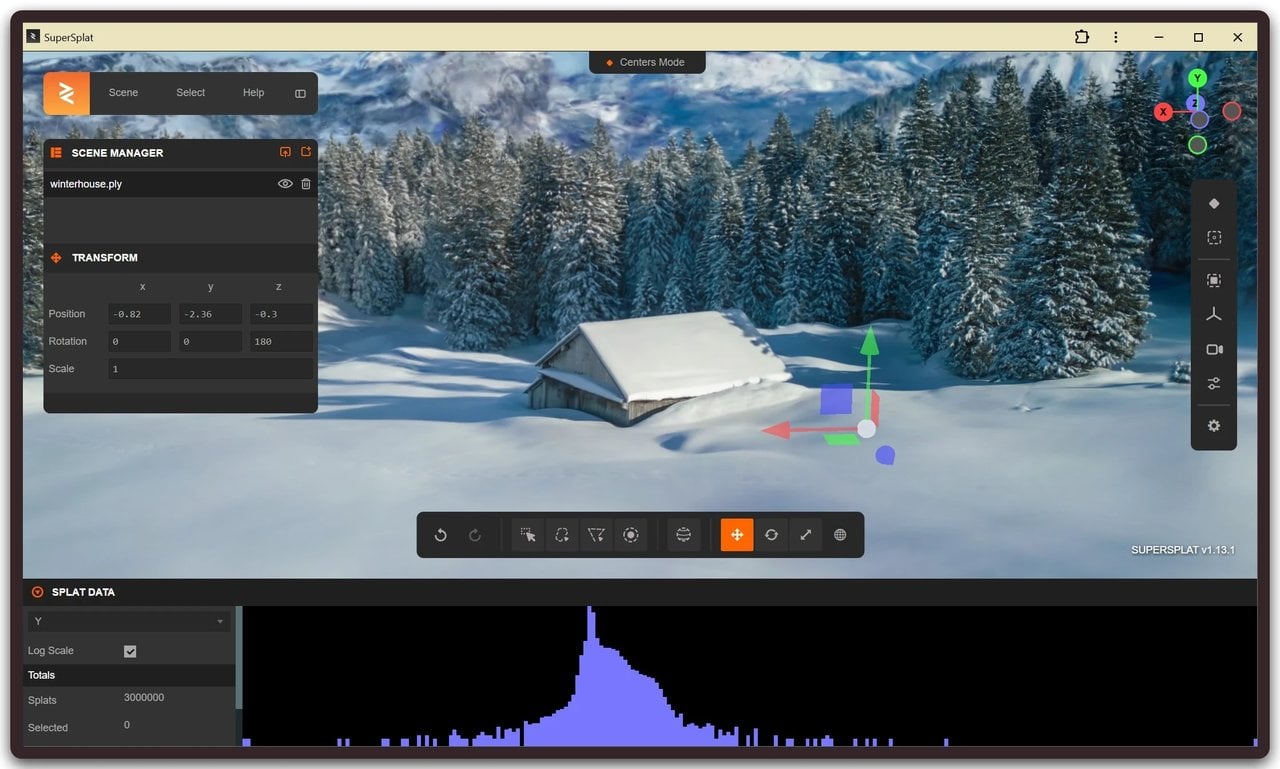
PlayCanvas has released SuperSplat v3.9.0 (17 November 2026), the free browser-based splat editor at superspl.at. The headline change is that GSAF files, a compressed format for animated (4D) Gaussian splat sequences, now load as timeline sequences, and several sequences can play at the same time. Until now, the editor played one PLY sequence at a time and could not open GSAF at all, although the SuperSplat Viewer has played GSAF on WebGPU since v1.41.0.

According to Radiance Fields, each GSAF frame is decoded with a bundled WebAssembly build of the gsaf v2.8.5 decoder into an in-memory PLY, so a GSAF frame and the PLY it came from load identically. GSAF files can be opened by drag and drop, the file picker, Import Recent or the ?load= URL parameter, as one sequence or as one scene per frame. The timeline runs as long as the longest sequence, a shorter one holds its last frame, and a sequence added mid-timeline starts at the playhead. Video export now holds playback for the length of the render, fixing a bug where 360 exports could capture the wrong frame.

Mixed multi-file imports are no longer all-or-nothing: dropped files are sorted into PLY sequences, multi-file SOG and LCC models, projects, camera poses and unsupported files, and anything beyond a single model opens a review table with a checkbox per row. A new mode strip beside the view cube replaces the Appearance dialog with switches for centres and rings, markers and X-Ray, and with X-Ray off, only the splats a surface drag could reach are drawn. The release also fixes the undo order of grouped operations and stops playback on the last frame when looping is off.

CARLA 1.0 turns recorded drives into splat scenes with NVIDIA NuRec

GitHubCode & ToolsIndustry

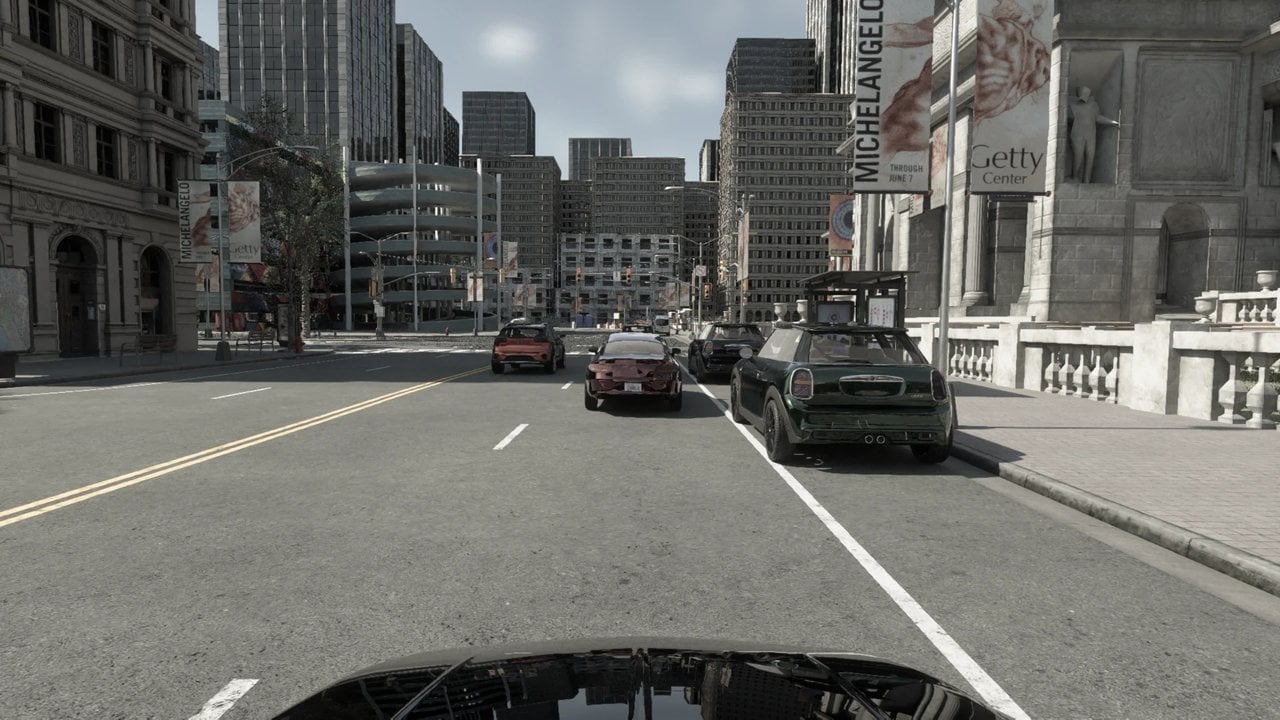
The open-source driving simulator CARLA has reached version 1.0 (17 November 2026), and one of its main features is support for NVIDIA NuRec 26.04, NVIDIA’s Gaussian splatting based neural reconstruction stack. A recorded real-world drive becomes a scene CARLA can simulate: CARLA owns the physics and the clock, and the NuRec renderer produces photoreal camera frames and lidar sweeps of the reconstructed scene. The release blog post calls it the most important release in the history of the project.

As Radiance Fields explains, a NuRec scenario is a .usdz file with the trained neural scene, the recorded actor tracks and the OpenDRIVE road network. The Neural Reconstruction Engine runs in a container and serves frames over gRPC, rendering all cameras due in one tick in a single batched round trip; the nrend or gsplat backend can be forced in the demo configuration, and the neural lidar models a PANDAR128 or an AT128. After a handoff, the ego vehicle can follow the recorded track, re-drive it with CARLA physics or drive freely under the Traffic Manager. Asset editing swaps the rendered asset of one vehicle or inserts a clone on a shifted trajectory, and a hybrid example composites CARLA vehicles and pedestrians into the neural scene, lit from the recorded environment and occluded correctly against the reconstruction.

CARLA 1.0 also moves from Unreal Engine 5.5 to 5.8 on CARLA’s own engine fork, adds NVIDIA Cosmos and DLSS 4.5, new ray-traced lens cameras and calibrated camera profiles, and ships for Ubuntu 22.04 and 24.04, Windows 11 and Docker. The Unreal Engine 4.26 line, where NuRec support first appeared in 0.9.16, is now obsolete. Sample scenes come from NVIDIA’s gated PhysicalAI-Autonomous-Vehicles-NuRec dataset on Hugging Face.

LichtFeld Studio makes splats walkable with collision volumes

BlogCode & Tools

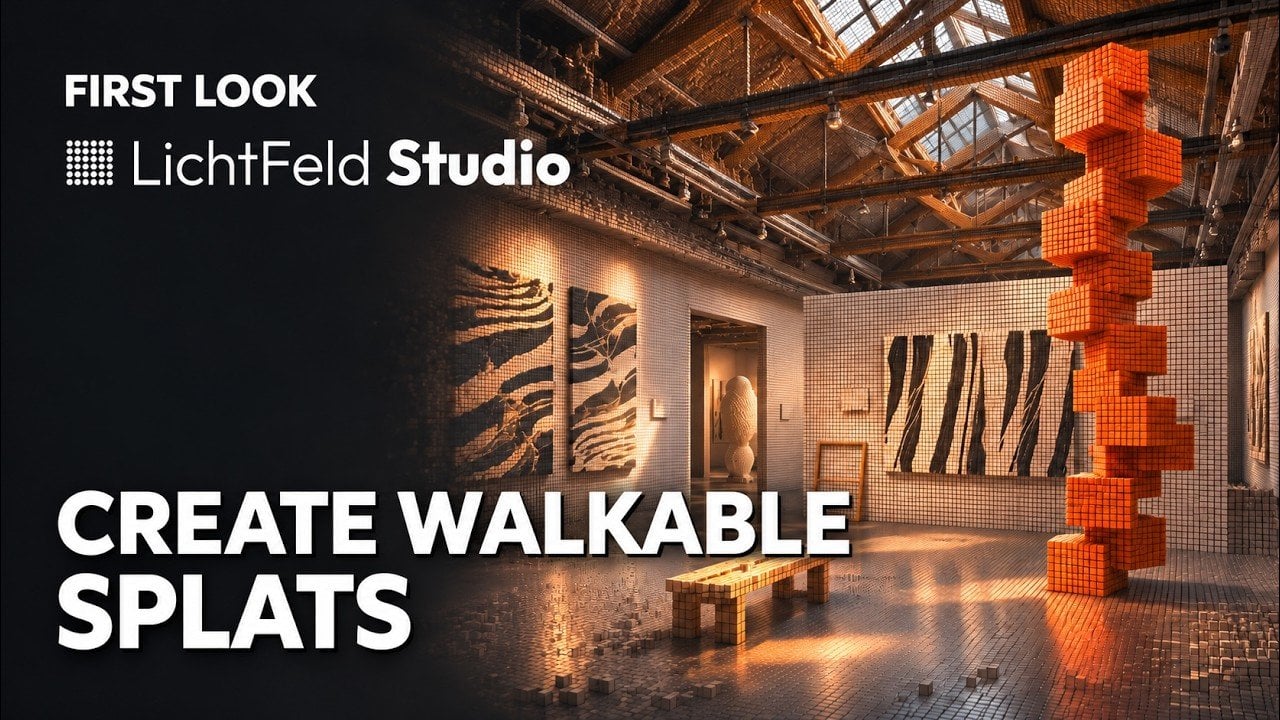
The open-source LichtFeld Studio project has published a “First Look” video, Walkable Splats: Collision Support in LichtFeld Studio (17 November 2026), which shows how to build collision volumes for a Gaussian splat scene and explore it in a new walking mode. Janusch Patas shared it on X, where it drew 43 likes and a reply praising how quickly the project adds features. The example splat is by Alejandro Nevárez, and the feature was contributed by Shady Gmira.

The work landed through recent pull requests, starting with #3791, merged on 26 October. It adds independent collision nodes that are generated asynchronously from one selected splat, stay aligned with their source when it is transformed, support undo, duplication and copy and paste, and are saved in the project as one binary payload per distinct volume. Walk mode keeps the camera’s feet on the collision surface, keeps clearance from walls and ceilings, climbs small steps and stops at unsupported ledges. Both are also available through the Python API. Later changes fixed the Windows build of collision voxelisation and kept collision loading responsive.

Official builds are on the LichtFeld portal, and the source code is on GitHub.

Vauss turns one video into a splat, a Blender pack and a voxel game

GitHubCode & Tools

Voyager has released Vauss, a Gaussian splat trainer and reconstruction CLI, as a research preview. It builds on Arthur Brussee’s Brush engine and is written in native Rust with Burn, CubeCL and wgpu, so training runs on Vulkan, Metal or DX12 without CUDA. The latest build so far is the release candidate vauss-v0.1.25-rc, tagged on 14 November 2026.

A single vauss run command checks the capture, selects frames, solves the cameras, trains the splat, evaluates held-out views and writes the exports. --fast gives a quick preview and --max a larger training budget. Stitched 360 video is detected automatically, and fisheye or action-cam footage can be trained on the fisheye lens itself with --camera-model opencv-fisheye. Existing Nerfstudio transforms.json and COLMAP folders are accepted too.

One run produces a browser viewer that opens straight from disk, a Blender pack with the full splat PLY, surface voxels and a textured mesh where available, and a scene.spz for the web or for Blender 5.3. A collision mesh, convex pieces and a floor estimate export with a Unity import folder, and the same capture becomes a first-person voxel game with destructible voxels, where V switches between splats and voxels. vauss shot renders new orbits and push-ins, and vauss stabilize re-renders shaky footage along a smooth path.

On seven Mip-NeRF 360 scenes on the same L40S at a one million splat cap and 30,000 steps, Voyager reports mean training times of about 127 seconds for Vauss against about 679 seconds for gsplat-MCMC 1.5.3, with 0.43 to 0.56 times the GPU memory and better LPIPS and SSIM on all seven scenes. Voyager notes this is not a universal ranking, and performance has only been measured on NVIDIA hardware so far. Vauss ships under the source-available Vauss Preview License: use is free during the preview, including commercial work, while redistributing modified versions or offering it as a hosted service needs written permission. The Brush-derived training crates remain Apache 2.0.

Splat Prep adds splat export and clean-up tools to Blender 5.3

BlogCode & Tools

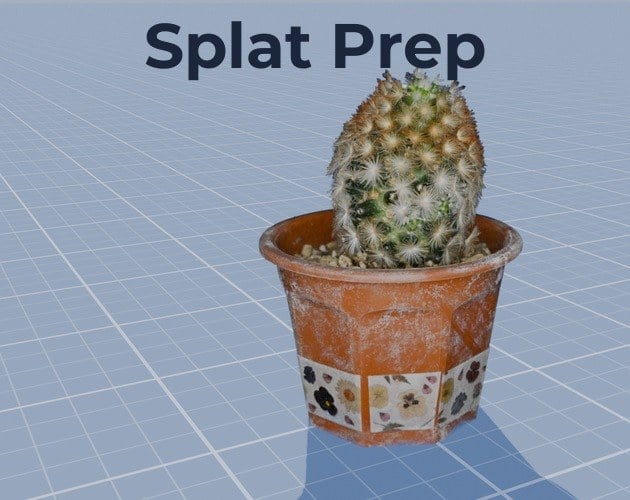
Nico Hartl (Polyhart) has published Splat Prep, a Blender extension that fills the gaps around the native Gaussian splats in Blender 5.3. It went on sale on itch.io on 15 November 2026 for 19 US dollars, with free updates for buyers.

Blender 5.3 imports and renders splats, but treats them like plain points. Its own Apply Transform and Join move the splat centres and leave orientation, size and view-dependent colour behind, so a rotated scan smears, and the PLY exporter writes an empty file. Splat Prep bakes location, rotation and scale into every splat, including spherical harmonics up to degree 3, and joins several splat objects without changing their look. It also reads compressed PLY from SuperSplat and PlayCanvas and .splat files, and exports standard 3DGS PLY, compressed PLY, SPZ and .splat in world space.

For clean-up, Align Floor levels a scan at Z = 0 from its largest flat part or from selected floor splats, Origin to Base moves the origin to the bottom centre, and Set Real Size scales from a known length. Selection tools find floaters, loose parts, faint splats, splats of a similar colour such as sky, and outsized splats. Live Crop works with a box or a sphere without deleting anything until applied. Colour grading can be baked into the splats, Reduce keeps the splats that contribute most to the image, Proxy Mesh builds a mesh for collisions or as a Cycles shadow catcher, and Mesh to Splats turns mesh objects into splats.

The extension needs Blender 5.3 or newer and has been tested on Windows in 5.3.0 with EEVEE, Cycles and Workbench. It makes no network access and has no licence check. A demo cactus scan with 695,779 splats (CC0) is included. The store page states that the code was written with AI assistance and then reviewed and tested by a 3D artist.

XGRIDS LCC Studio Universal V2.7.0 adds AMD and Intel GPU support

BlogCode & ToolsIndustry

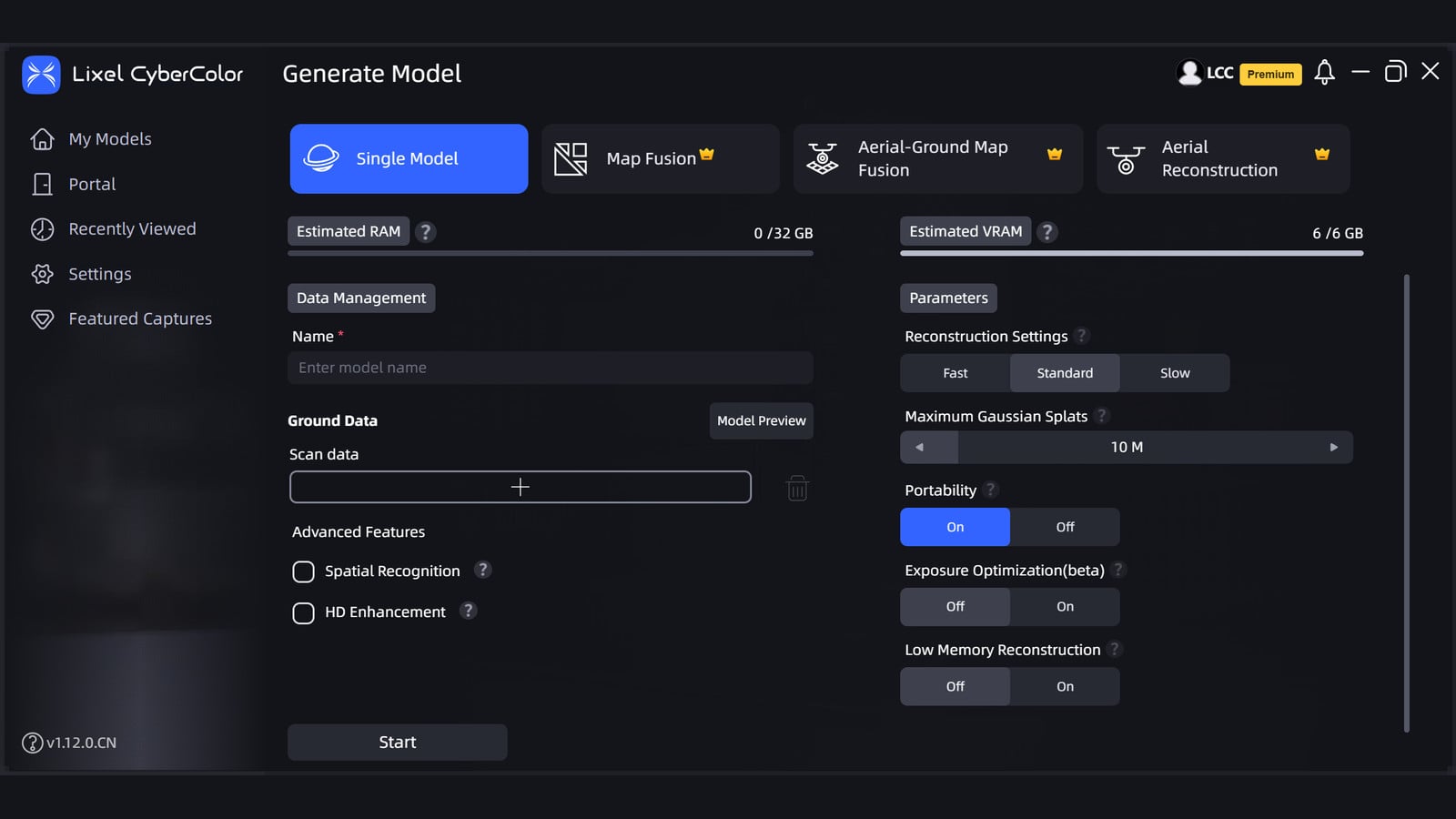
XGRIDS has released LCC Studio Universal V2.7.0, a Windows build of its local 3D Gaussian Splatting studio that runs on AMD, Intel, and other discrete GPUs. The package is listed on the official LCC Studio download page as a 5.5 GB installer dated 12 November 2026. It supports single-scene reconstruction, editing, and application.

The NVIDIA edition of V2.7.0 remains the recommended download. It shipped three days earlier, on 9 November, as a 5.8 GB build. Its release notes cover faster Map Fusion, Aerial-Ground Map Fusion, and HD Enhancement, sharper close-range reconstructions, fewer fragmented roofs in aerial work, a more stable editing architecture, and the option to export Map Fusion, Aerial-Ground Map Fusion, and Aerial Reconstruction results as USD and 3D Tiles. Reconstruction export and the Converter no longer support 3D Tiles v1. The Universal notes do not mention those fusion, aerial, or export features.

XGRIDS still lists an NVIDIA RTX 3060 12 GB as the official minimum GPU and an RTX 4090 as the recommended card. As of v1.9.0, Lixel L2 device data is no longer supported for reconstruction; the company points those projects to v1.8.1 or older.

Paolo Tosolini invents a new way to slide through waypoints in a virtual tour

LinkedInCode & ToolsShowcases

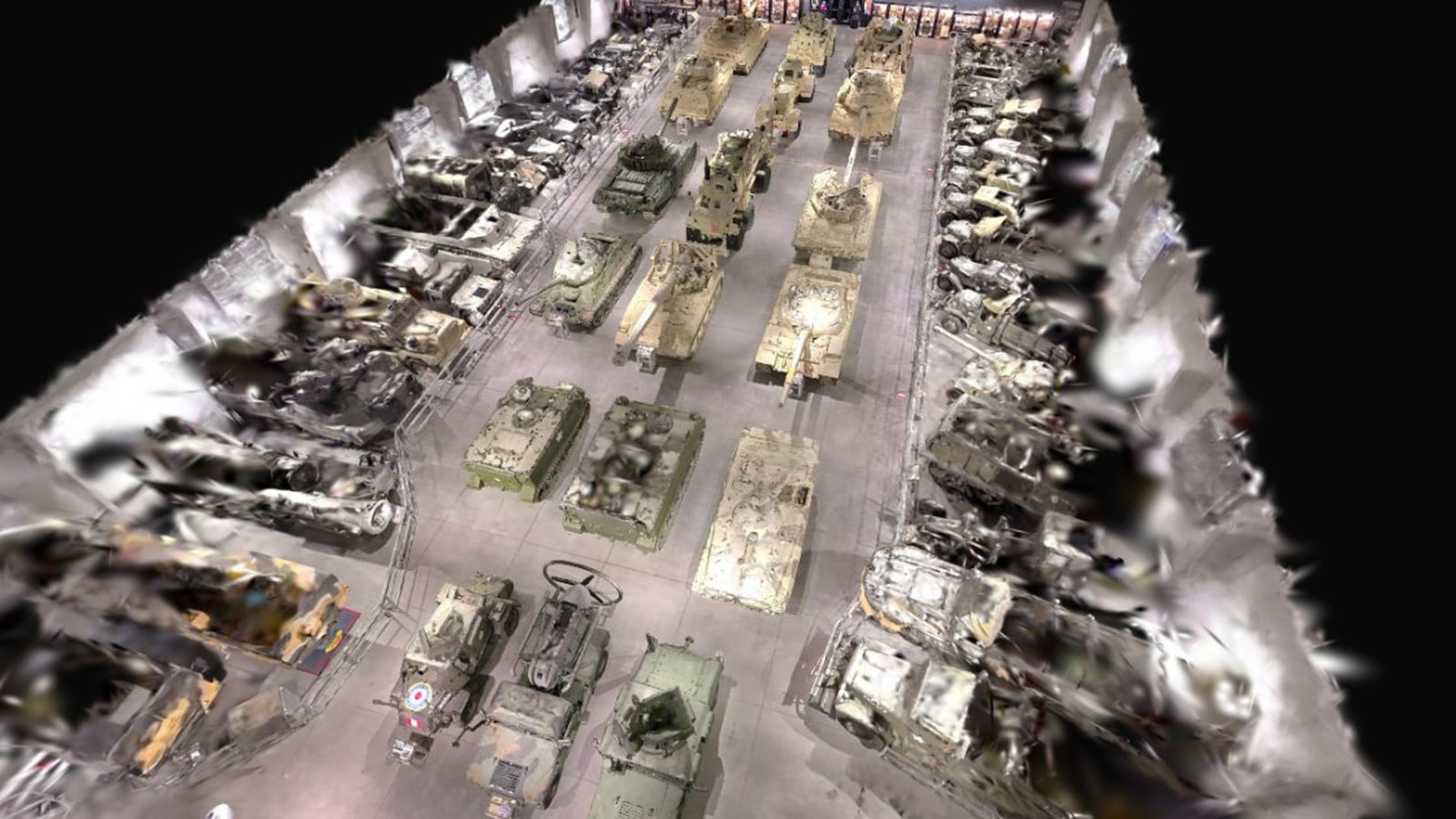
Paolo Tosolini invents a new way to slide through the waypoints in a virtual tour. Super easy. Super convenient! In a LinkedIn post, he shares a prototype that adds a UI layer to a 3D Gaussian Splatting model of the Tucson Military Vehicle Museum. He scanned the hall with an XGRIDS PortalCam during a road trip in Arizona.

A column of cards on the right of the viewer is the tour’s waypoint list. You slide or scroll through those cards to fly from vehicle to vehicle, and you can still drag to look around, zoom, or walk the hall on foot. The prototype works on mobile and desktop. It was built in Claude Code on top of the PlayCanvas SuperSplat open-source code. The tour is at paolotosolini.github.io/tucson-military-vehicles.

sperid-swift-mlx ports Idol image-to-splat inference to Apple Silicon

GitHubCode & Tools

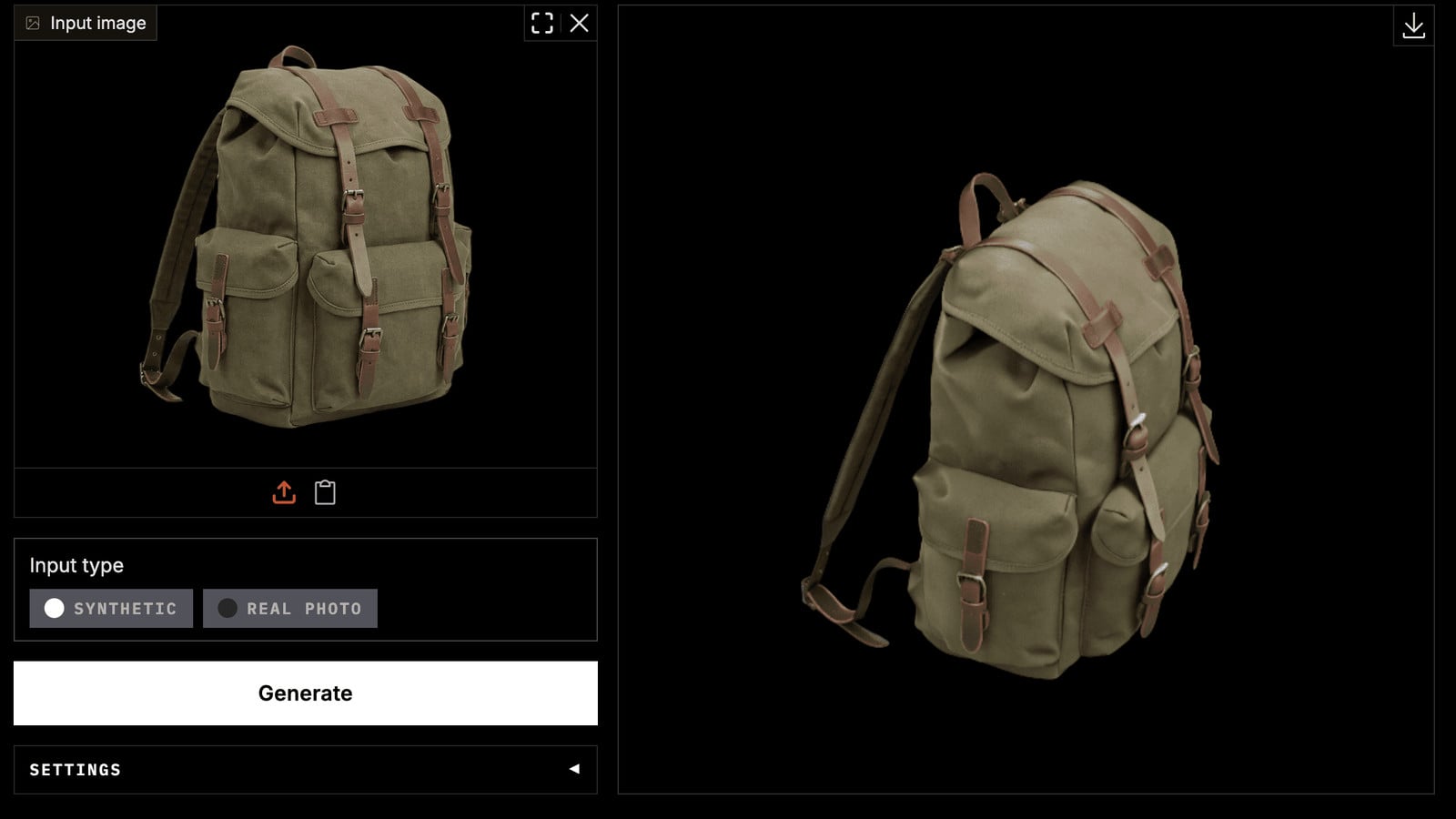
Vincent Gourbin has released sperid-swift-mlx, a native Swift and MLX port of Speri Labs’ Idol model for Apple Silicon. From a single photograph of an object, the pipeline produces a 3D Gaussian splat entirely on the Mac, with no Python at run time. The public v0.3.0 release landed on 15 November 2026, followed the same day by v0.3.1, a dependency-range fix with no code change. The project is an independent community port and is not affiliated with Speri Labs.

The library runs BiRefNet background cut-out, DINOv3 ViT-H+/16 and FLUX.2 VAE encoders, a rectified-flow denoiser, and octree and Gaussian decoders. It writes a standard 3DGS PLY, a textured USDZ that passes usdchecker --arkit, and a GLB. On an M3 Max with 96 GB of memory, the author measured about 22 seconds per object with idol-turbo (five steps) and about eight minutes with the 50-step base model, at a process peak of about 11 GB. The weights are about 7.5 GB and are downloaded separately; Idol and Idol Turbo are Apache-2.0, while the gated DINOv3 and FLUX.2 VAE encoders keep their own licences.

The package includes IdolCore and a SwiftUI SplatView that renders the cloud with RealityKit, plus an idol command-line tool and idol-studio, a macOS app that mirrors the Idol Space. The code is MIT-licensed. The library and CLI require Apple Silicon and macOS 15 or later. The RealityKit splat viewer requires macOS 27, and building needs Xcode 27. A 16 GB Mac is untested.

NVIDIA ovrtx 0.7.0 adds diffuse relighting for Gaussian splats

GitHubCode & Tools

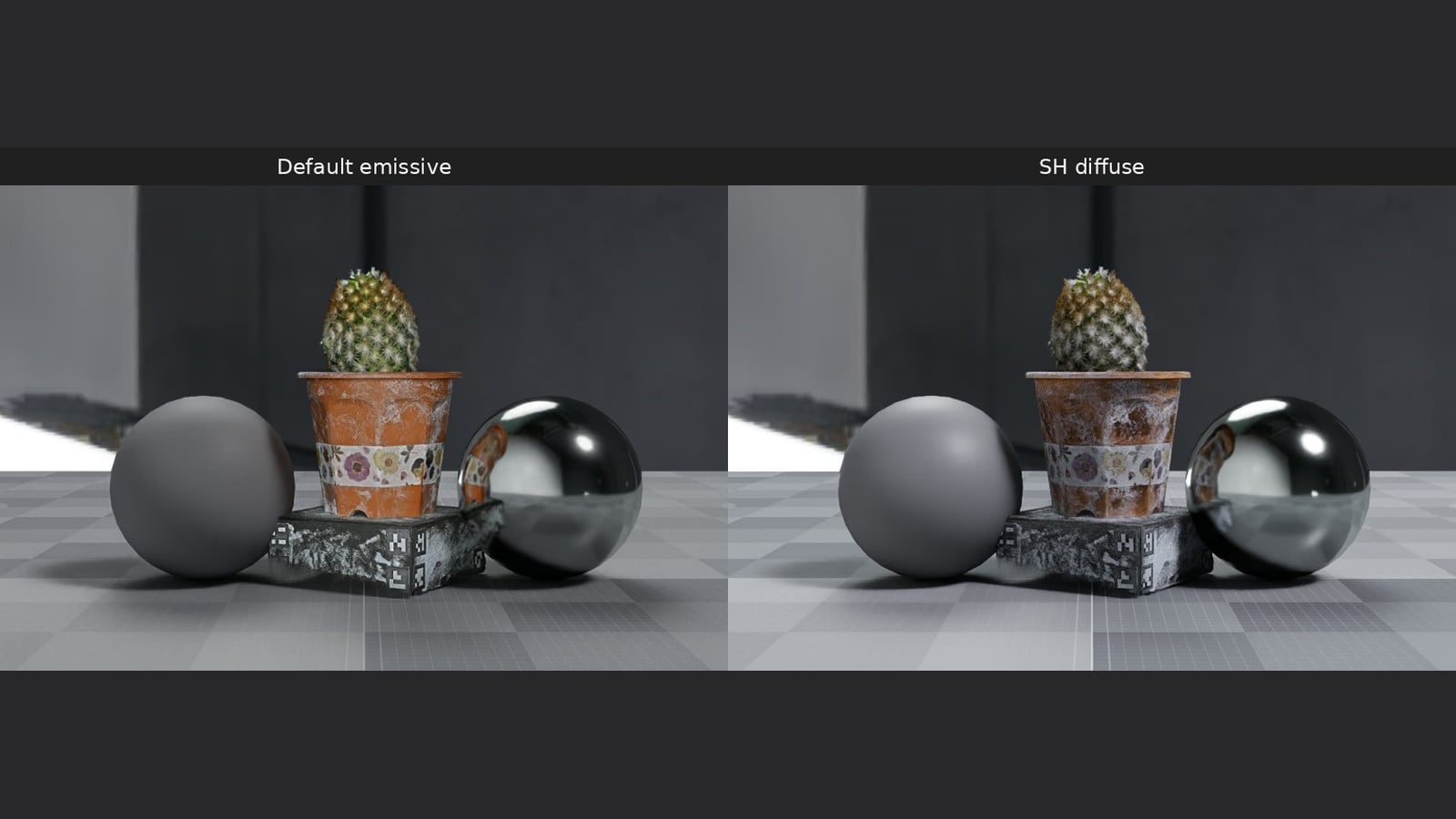
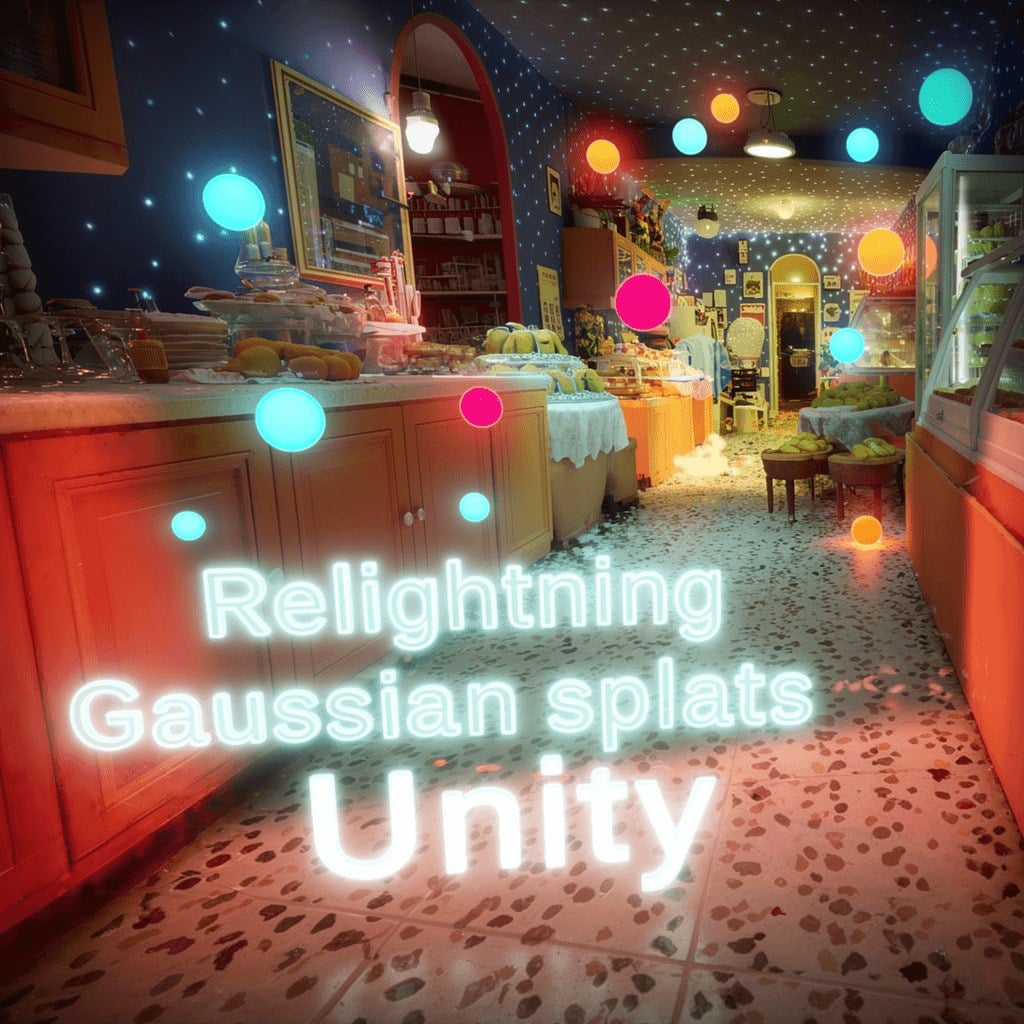
NVIDIA has shipped ovrtx 0.7.0, a pre-release of its Omniverse RTX rendering library, with a new way to relight ParticleField Gaussian splats. The 14 November 2026 release includes ParticleFieldSHDiffuse.mdl, which is bound to a ParticleField prim so scene lights can illuminate the splats in Path Tracing and Real-Time Path Tracing. Diffuse albedo is taken from the splat’s SH0 coefficient. The material has no emission, and captured illumination stays baked into SH0. The official Gaussian splats example compares the default emissive look with the SH diffuse material.

The same release adds experimental WPM lidar rendering for NuRec-trained Gaussian splats that expose lidarExtraSignals. Ordinary RGB splats do not produce a lidar response. Splat-related fixes include sorting Gaussians by true camera distance rather than a projection onto the ray, and blocking invalid Gaussian positions from spreading NaN or Inf values into the acceleration structure.

ovrtx 0.7.0 remains a pre-release. Packages and Python wheels are on the GitHub releases page. The comparison image in this article is from the official example, which uses a cactus ParticleField captured by Steam Studio and released under CC0-1.0.

Splattic Public Beta 4.0.0 adds 4DGS playback and editing in the browser

BlogCode & Tools

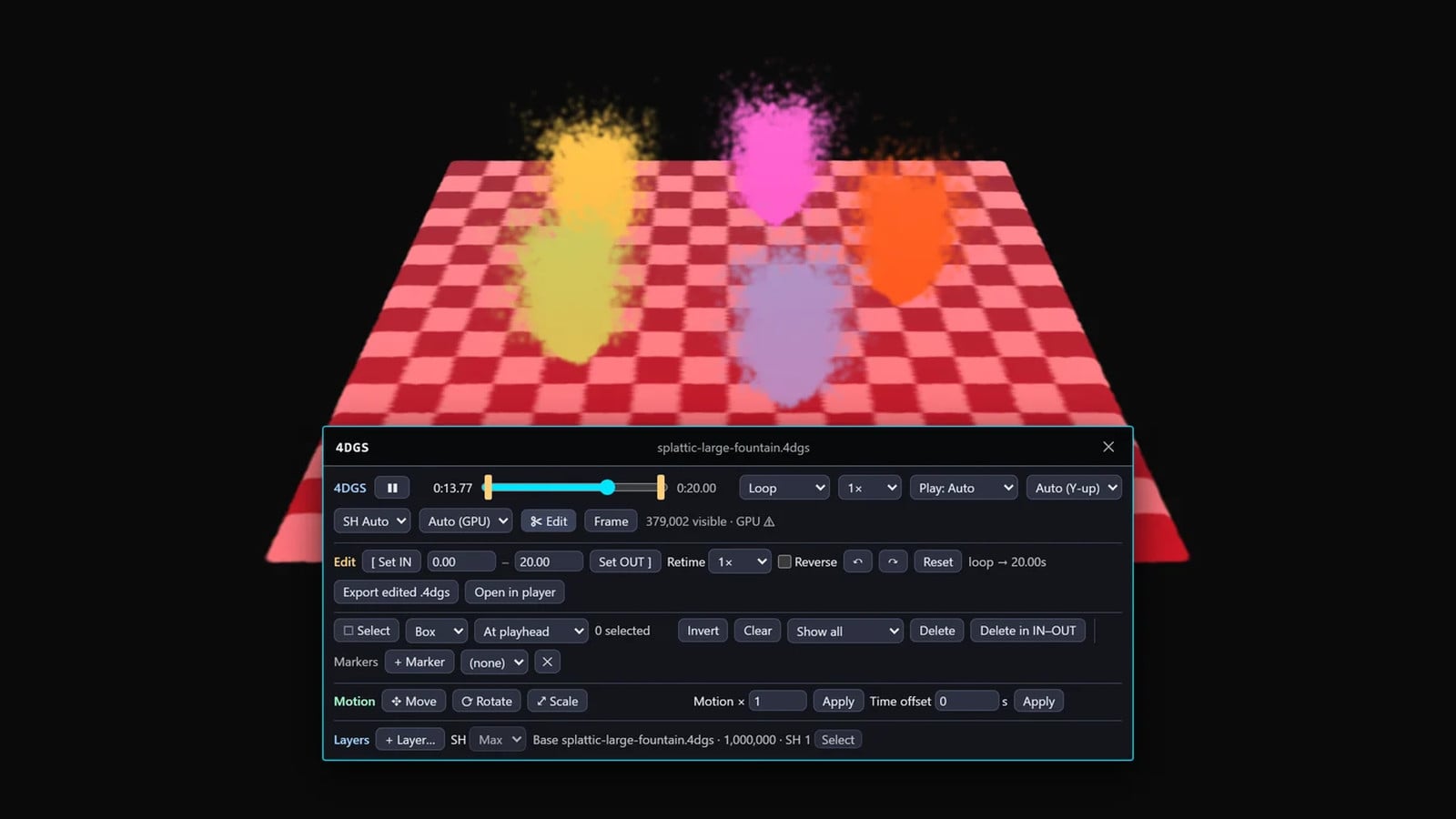
Splattic has shipped Public Beta 4.0.0 of its free browser editor, adding playback and editing for animated Gaussian splats in the .4dgs format. The changelog lists the line as published on 10 November 2026 and updated on 11 November. A .4dgs file can be opened, imported, or dropped into the scene (one per scene) and played alongside meshes and static splats.

The new 4DGS Edit mode trims a clip with IN and OUT points, retimes it from 0.25× to 4×, reverses it, and supports undo and redo. Splat selection with a box, lasso, or brush can be taken at the playhead or across the IN-OUT range, and the selection follows those Gaussians through time. Edits are non-destructive until Export edited .4dgs bakes them into a new file. Users can also import a PLY or SOG frame sequence, place a 4DGS strip on the Tracks Editor with audio, run a 4DGS mode of the Simplify tool, and include the result in HTML, Web AR, and scene-zip exports.

The editor is at splattic.com. The changelog says 4DGS playback on real phones and headsets is not verified yet.

Manifold4D re-shoots a monocular video from a new camera path

BlogPapersCode & Tools

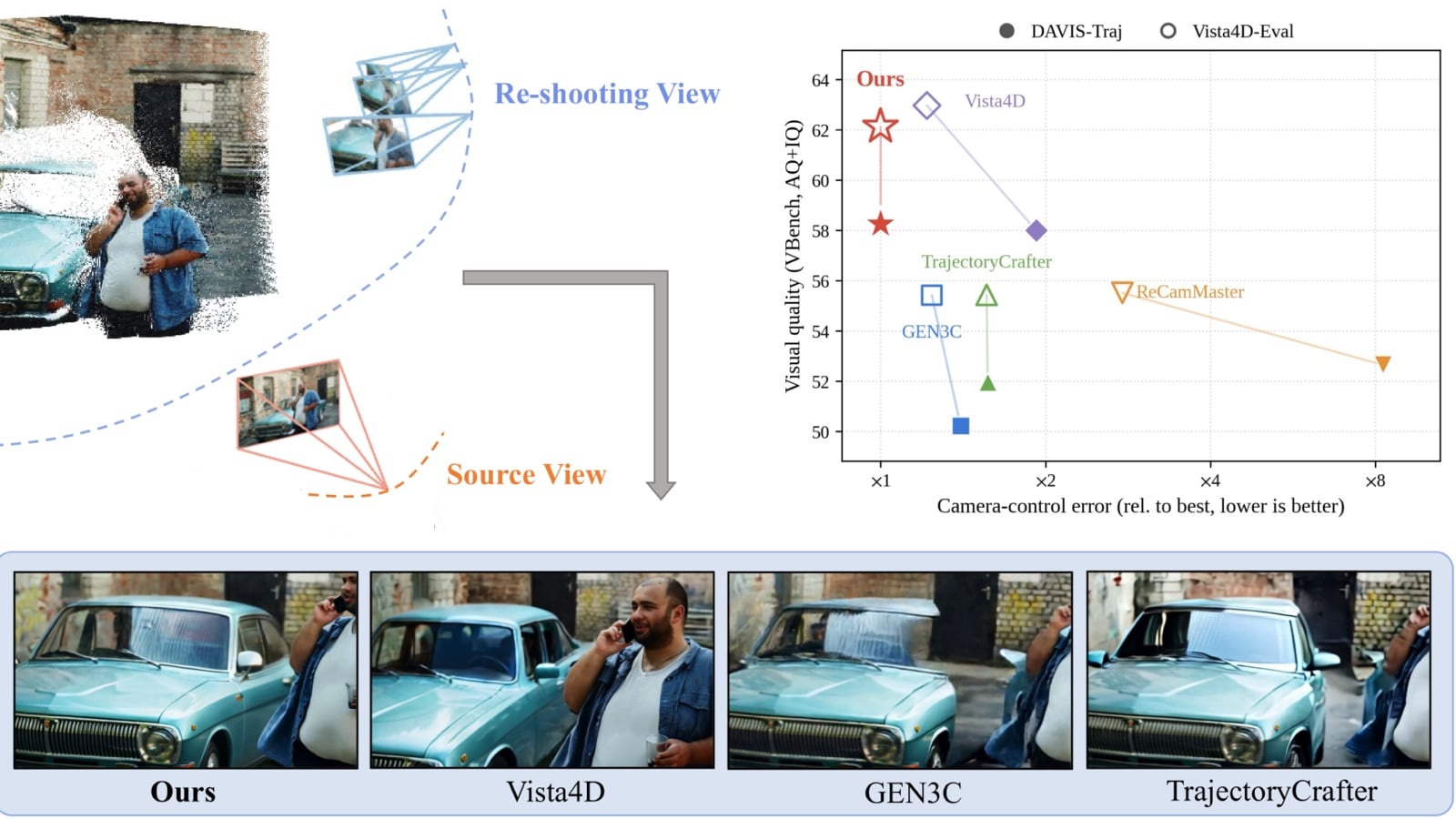
Manifold Tech has published Manifold4D, a video re-shooting method that takes a single monocular video of a dynamic scene and re-renders it along a new camera trajectory. The work is presented on the project page and in a paper on arXiv, with inference code and model weights on GitHub. The company also described the project in a LinkedIn post.

A common approach lifts the source video into a 4D point cloud and, at every denoising step, conditions a generator on both a render of that cloud from the target view and the source video. The authors say those two signals can conflict, a problem they call a trust dilemma, which can weaken camera control, 3D consistency of moving subjects, and visual quality.

Manifold4D instead injects the point-cloud render into the initial noise of a flow-matching video diffusion model, so generation starts from a geometry-bearing noise distribution they call the point cloud rendered manifold. After that first step, the source video is the only visual condition, and the network can spend the remaining denoising steps refining appearance. The model fine-tunes a Wan2.1-T2V transformer. The authors report the best camera-control accuracy on every metric in their tests, lowering rotation error by 25 to 27 percent and translation error by up to 32 percent over the strongest baseline, while matching it in video fidelity and scoring best on overall photometric quality and 3D consistency of dynamic content. Inference code and weights were released in September 2026, with bundled demo scenes added in October.

Evergine moves Gaussian splat processing to the GPU in its November 2026 release

BlogCode & Tools

Plain Concepts has shipped the November 2026 release of Evergine, and with it a substantial update to the engine’s Gaussian Splatting add-on. In a 12 November 2026 post, Evergine says that on DirectX 12, Vulkan, Metal and WebGPU a compute pass now processes each splat once per frame from a compact GPU layout before drawing, and that the sort used for blending also runs on the GPU. Until this release, projection and view-dependent colour were evaluated in the vertex shader and repeated for every vertex of every splat. Browsers with WebGPU now take the same compute path. WebGL remains a fallback, with splats sorted in a web worker so the page does not block.
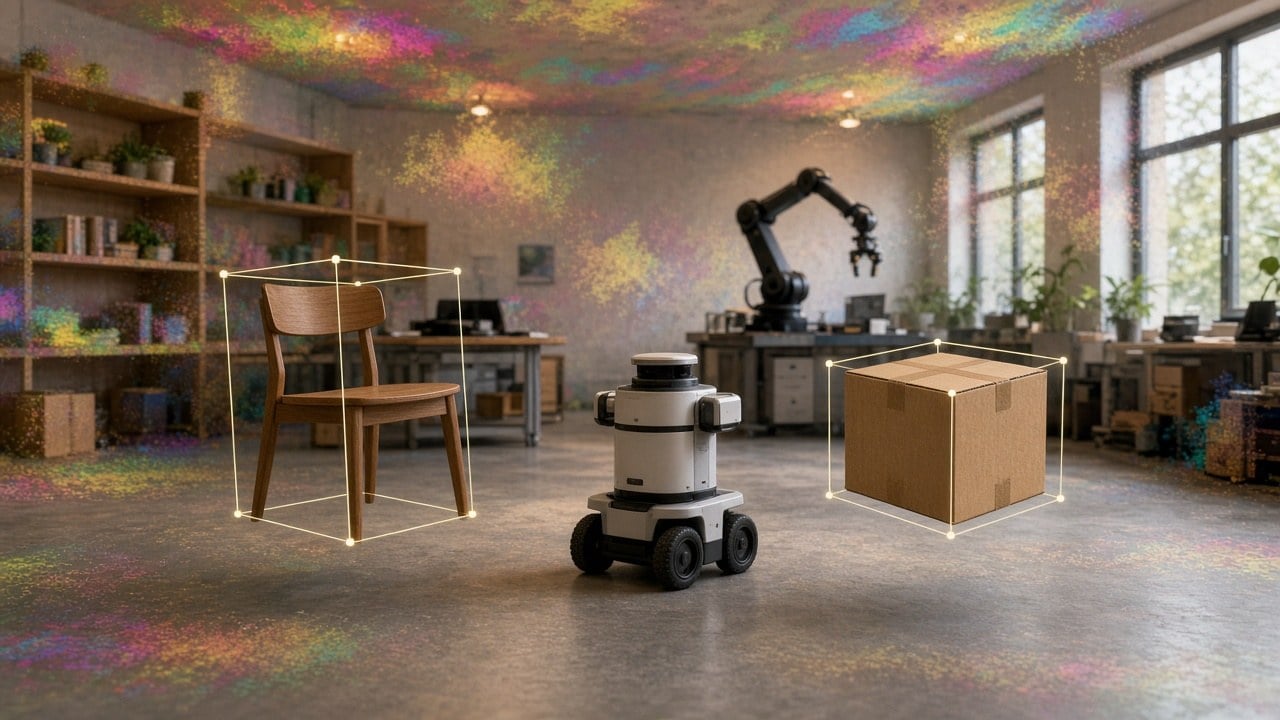
The add-on can skip splats whose contribution falls below a MinContribution threshold, and SortIntervalMs can limit how often the scene is re-sorted, which the post says helps keep phones and tablets from throttling. It now reads uncompressed PLY in ASCII and binary, SPZ (including Niantic’s version 4 and older gzip files), KSplat, and XGRIDS LCC and LCC2 folders, alongside compressed PLY, .splat and an improved SOG reader. The format is detected from file content, not the extension. Splats can also be highlighted for selection or coloured by a label, for example to show the result of an AI segmentation.

The add-on is installed from the Add-ons Manager in Evergine Studio. A free browser viewer built with it is at splat.evergine.com, where a file or folder can be dropped onto the page. The same viewer, the company says, also runs on the desktop, mobile and XR platforms Evergine supports.

FreeGaussian now builds Gaussian splats from raw DJI Osmo 360 .OSV files

BlogCode & ToolsHardware

FreeGaussian says it now processes raw DJI Osmo 360 .OSV files natively, building a Gaussian splat and a 3D mesh from the camera’s original fisheye recordings rather than from a stitched export. The 11 November 2026 post puts the Osmo 360 on the same native fisheye pipeline the service already uses for the Insta360 X5 and X6 and the Antigravity A1.

Each .OSV keeps the two lenses as separate square fisheye videos, together with the motion data the camera always records. FreeGaussian reconstructs from those unstitched views and uses the IMU to recover gravity and scale, so floors come out level, walls vertical, and one metre in the scene matches one metre on site. In the company’s tests against measured markers, scale from 8K 30 fps video came within half a percent. It still advises checking a known distance in the viewer for survey-grade work. Because the output is metric, the viewer’s measuring tool reports metres directly, and the mesh can be dropped into Blender, a game engine, or a simulator such as MuJoCo or NVIDIA Isaac Sim without rescaling.

The pipeline is tuned on 8K video at 30 fps. Timelapse is discouraged, because it stores motion data too rarely and produces a scene that is level but not at real-world scale. Users should copy the original .OSV from the camera’s card and pick DJI Osmo 360 on the upload page; exports from DJI Mimo or DJI Studio, or any conversion that throws away the fisheye images and IMU data, lose those benefits. An exported equirectangular .mp4 can still be uploaded as equirectangular video. Raw .OSV files run about 1 GB per minute. The native pipeline is available on the free plan, with the usual terms: free uploads may be featured by FreeGaussian, while paid scenes stay with the customer.

Robotec.ai releases an open-source O3DE gem for Gaussian splat rendering

GitHubCode & Tools

Robotec.ai has released the GaussianSplat gem for Open 3D Engine, an open-source game and simulation engine. The gem imports a standard 3D Gaussian Splatting .ply file, adds a Gaussian Splat component to an entity, and renders the scene in real time on the GPU. In a LinkedIn post, Mateusz Wasilewski wrote that the work was a deep dive into GPU rendering and O3DE’s Atom renderer, and that Robotec.ai supported the project and its open-source release.

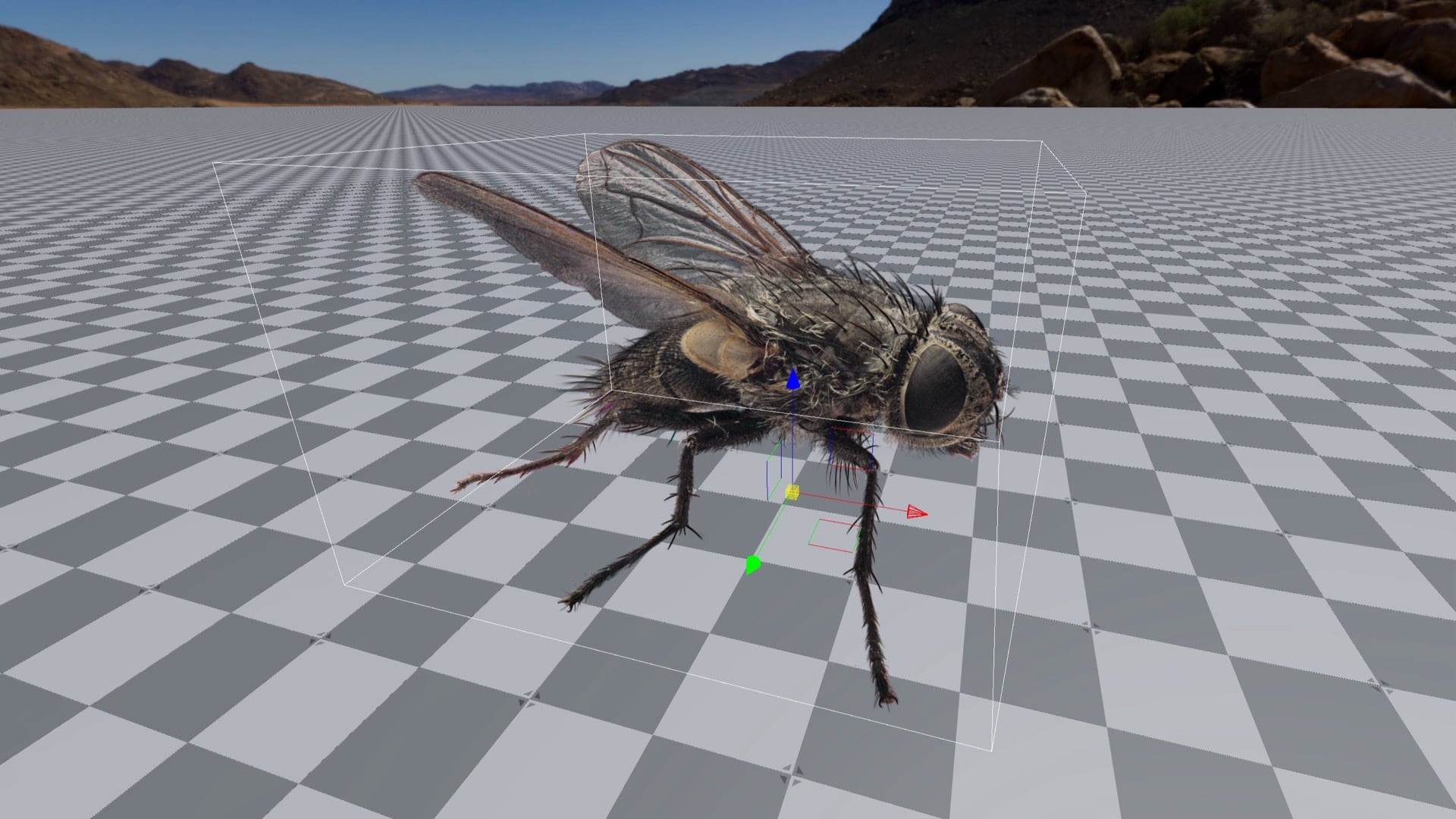
The repository says the gem currently targets Linux with the Vulkan RHI only, and that it was tested with O3DE 2605.0 and 2610.0. Other platforms are disabled in the build. The LinkedIn post says it runs on NVIDIA and AMD GPUs via Vulkan. Editor controls include an opacity multiplier, a scale multiplier and a maximum spherical-harmonics degree, which can drop the lighting to flat colour as a quality or performance knob. Rendering is a tile-based compute rasterizer that stays on the GPU from projection and culling through a radix sort and front-to-back compositing. Wave intrinsics are required; there is no fallback path. Import is limited to the standard 3DGS .ply layout, not the compact .splat format. The gem is available under the Apache-2.0 licence. The card image is a render of Cluster Fly by danylyon, licensed under CC BY 4.0, shown in the gem’s example screenshots.

OfflineTools releases Frankensplat, a browser studio that trains splats on WebGPU

BlogCode & Tools

Rafael Spring’s OfflineTools has released Frankensplat, a browser studio that trains 3D Gaussian splats locally on WebGPU. The product page says you bring photographs with a COLMAP sparse reconstruction, or a Gaussian-splat PLY to view, and that training, reconstructions and photos stay on the device: datasets are not uploaded to a remote training service. An internet connection is still required to load the app, which is not an installable offline application. Viewing uses WebGL2.

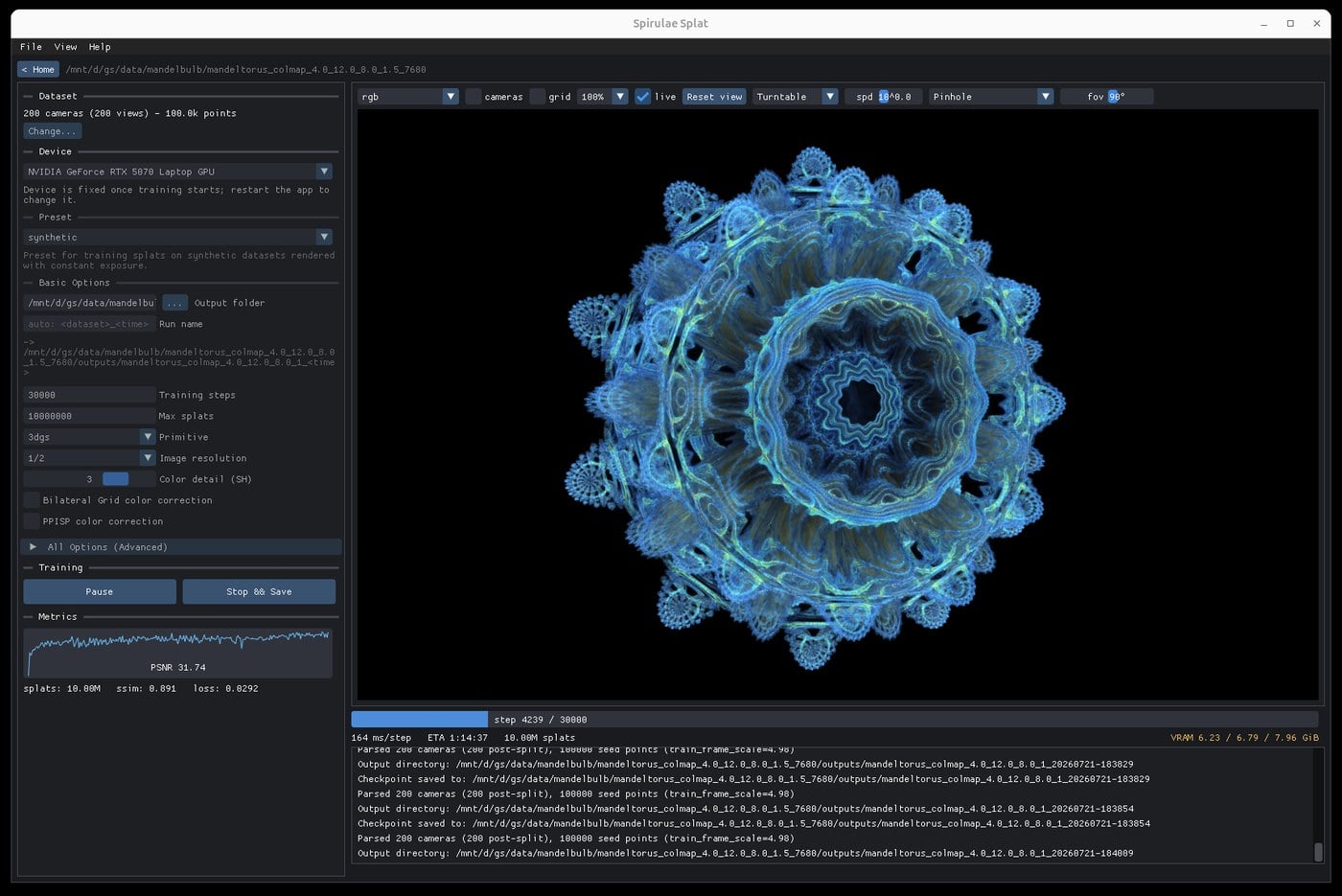
The official page lists a splat budget, image scale and PPISP appearance correction, which learns per-image exposure and colour corrections, and shows estimated GPU memory before a run starts. Training can be paused, exported as a PLY, or saved as a checkpoint that resumes with the same dataset, and a cache hierarchy spanning GPU memory, system RAM and local disk is used to keep training images available. Progressive mode is the default, starting at a smaller image scale and raising the training targets toward full resolution as the scene develops. Radiance Fields, in a 13 November 2026 write-up, describes Frankensplat as a free browser studio and reports an OfflineTools benchmark against LichtFeld Studio on seven Mip-NeRF 360 scenes; the product page itself says that in a seven-scene study, progressive and fixed-size Frankensplat finished within 0.02 dB mean fitted PSNR of each other.

Spirula Studio v2026.11.12 corrects rolling shutter during training

BlogCode & Tools

Spirula Studio v2026.11.12, released on 12 November 2026, can correct camera calibration residuals such as rolling shutter while a Gaussian splat is being trained. Radiance Fields reports that the correction fits a smooth warp for each training image so the ground-truth photo is moved onto the render, aiming at focus breathing, electronic stabilization, rolling shutter and small pose errors, without changing the rasterizer or the loss. The same write-up says the --calib-correction flag can be set to off, basic (the default) or accurate, which adds a parallax term, and that the synthetic and academic-baseline presets turn the correction off. A new blending option in the training GUI visualizes remaining calibration error.

The release notes also add an experimental GLOMAP-style global mapper and the FlexGlue feature matcher to the built-in structure-from-motion pipeline, both from community contributors. Training changes target distant detail and floaters; floater suppression is now offered at mild, moderate and strong levels, with the previous strong setting equal to the new moderate. The release speeds up masking and normal and depth estimation on Apple Silicon, fixes an HDR training instability, and optimizes the native PLY viewer for large 3DGS files such as those merged after partitioned training. Training can start automatically after a dataset is created and can run a command when it finishes. The developer describes the quality changes as intended improvements, with speed and VRAM overhead generally within a few percent. Spirula Studio ships as a single GPL-3.0 binary for Windows, Linux and macOS, with no separate Python, PyTorch or COLMAP install, and runs on NVIDIA, AMD, Intel and Apple GPUs through Vulkan.

flyAR opens Splatsonia, a browser app that makes Gaussian splats react to sound

BlogCode & Tools

Helsinki studio flyAR has put Splatsonia into open beta: a desktop-browser app, with no install, that makes 3D Gaussian splats react to sound in real time. The product page describes it as an internal experiment for adding motion to otherwise static splats, and says the app is built on PlayCanvas. In a 2 November 2026 note, CEO and AR designer Frans Tihveräinen writes that Splatsonia is not AR or VR, and that files you load stay in the browser session.

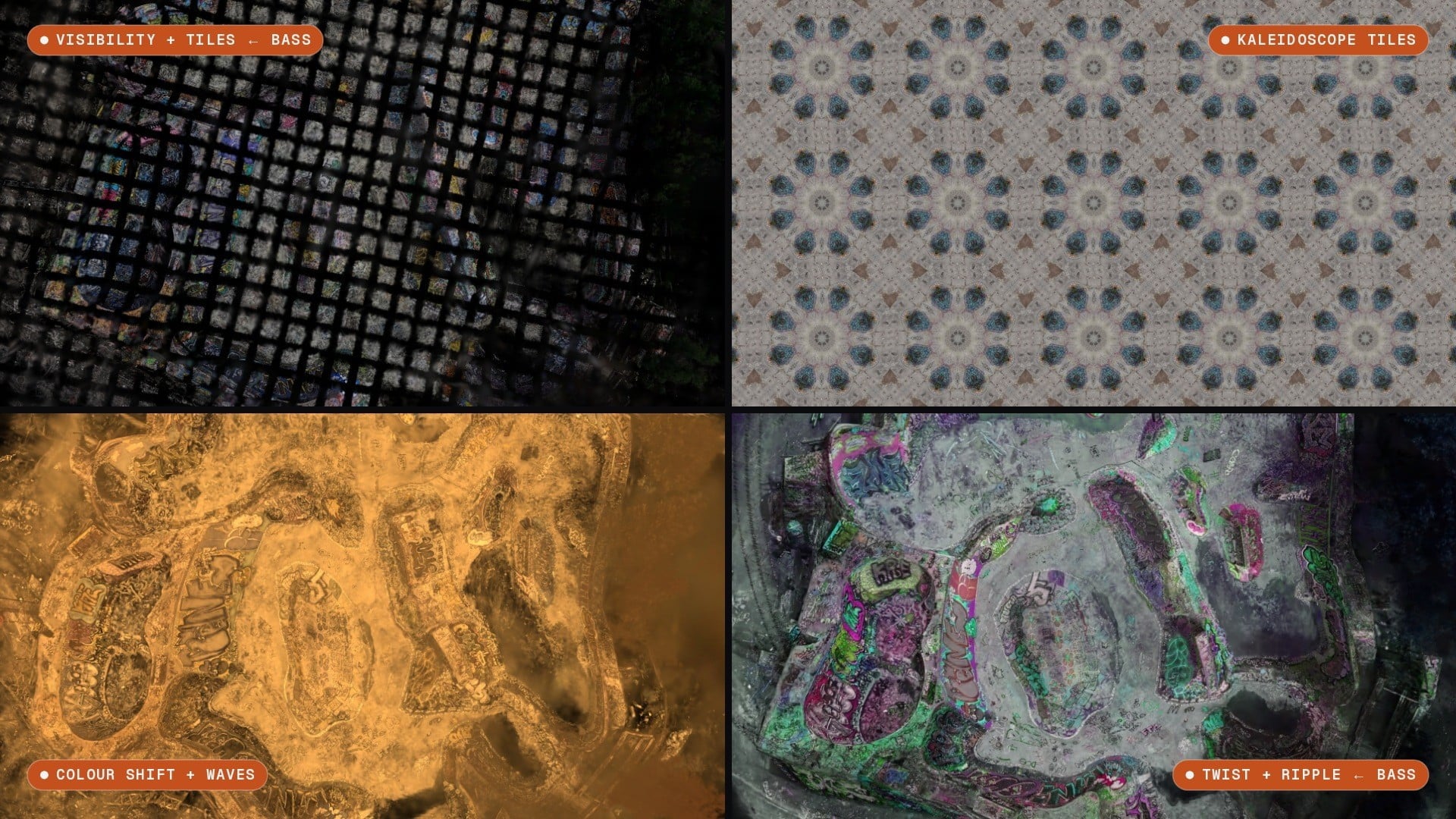
The app accepts .ply or .sog files, including by drag and drop. That note sets a 300 MB size limit and mentions a built-in lioness scan of 556,733 Gaussians (about 9 MB) by Spenser Dickerson, released under CC BY 4.0. Audio can come from a browser tab, a microphone or line input, an audio file, or a built-in demo track. Splatsonia splits the sound into loudness, bass, mids, treble, pitch, beat and brightness, detects tempo, and adds three tempo-synced LFOs; Tihveräinen says any of those can drive any of 55 audio-routable parameters. Effects listed on the product page include motion (waves, explosion, random motion, flow field, twist, radial ripple, scatter and spherize), break (two slice effects, shatter and tile), colour (colour shift, hue rotation, saturation and exposure) and visibility (splat size, opacity and dissolve), plus visibility and effect masks, a kaleidoscope lens, up to eight polyhedral mirror copies, and sound-reactive wireframe geometry. Ten presets are included, from Ghost Slices to Strobix Kaleidotile, along with a randomize control and a JSON export of a look, its effect routes and the camera view.

flyAR says Splatsonia is free to use during the open beta and that some features may become paid later. The studio’s site describes it as a Helsinki company, shipping since 2012, that builds browser-based AR and interactive 3D.

3Dflow releases 3DF Zephyr 9.5, a stepping stone toward version 10.0

BlogCode & ToolsIndustry

3Dflow published 3DF Zephyr 9.5 on 11 November 2026, describing the release as “an important stepping stone towards version 10.0.” The update follows Zephyr 9.0, which added an integrated Gaussian Splatting workflow, also in Zephyr Lite.

The 9.500 changelog lists speed improvements to Structure from Motion and Multi-View Stereo, a more responsive LOD Mesh dialog with faster loading, and improved extraction quality for sections, level curves and guided breaklines. Volume-from-projection and hole-filling tools were revisited, a bug affecting GPS data after merging was fixed, frame extraction with the similarity threshold was made consistent, and exported videos were fixed for compatibility with Instagram and Facebook. The same changelog lists the release of 3DF Jimbo, a local segmentation-model trainer that produces models for classification in Zephyr or masking in 3DF Masquerade; 3Dflow says Jimbo is currently available to selected customers only.

Bubo² launches a cloud service for Gaussian splats from photos, video and raw Insta360 files

BlogCode & Tools

Radiance Fields reports that Bubo² has launched a cloud service that turns photos, video and raw Insta360 footage into hosted 3D Gaussian splats. The service will take an .insv file straight off an Insta360 camera, reconstruct both fisheye lenses as a two-lens rig, and run an automatic pass that masks out the operator and mount. Radiance Fields says Bubo² cannot mix 360 footage with photos or flat video in one build, treats an equirectangular MP4 as flat video, and does not yet support recordings split into one file per lens or other 360 cameras. Camera poses come from a COLMAP-based solver and are reused on rebuilds; several videos or 360 recordings can be combined into one Model. The same report says Bubo² does not make meshes and will have no API at launch.

Published pricing bills in credits, with one credit equal to one minute of GPU processing: 60 credits for a standard Model and 180 for a high-quality Model. Plans run from Pay as you go at $0, with credit packs from $3, to Creator at $12 a month for 360 credits, Pro at $49 for 1,800, and Studio at $149 for 6,000 credits with white-label Showcases. Alignment is never charged, and failed builds are refunded.

ArcGIS Maps SDK for JavaScript 5.2 adds viewshed and shadow-cast analysis on Gaussian splat layers

BlogCode & ToolsIndustry

Esri’s 10 November 2026 announcement for ArcGIS Maps SDK for JavaScript 5.2 says version 5.2 adds Viewshed and Shadow Cast analysis for Gaussian Splat layers. The official post notes that splat layers already participated in scene shadows, and that this release extends analysis to those two tools.

Radiance Fields, citing Esri’s 5.2 release notes, reports that analysis results reflect the underlying splat representation: surface noise or reconstruction artifacts that are subtle in the visualization may become more apparent, and analysis boundaries may appear less sharply defined than comparable results from integrated mesh layers. The same Radiance Fields write-up says volume measurement is not named for splat layers in the 5.2 notes. The official blog also describes new tooltips and snapping when placing viewshed and line-of-sight observers and targets, including elevation-mode selection and simple math expressions such as +1.5.

SpAItial opens its Echo-3 API to every developer account

BlogCode & Tools

Radiance Fields reports that SpAItial has opened its Echo-3 API to every developer account, turning a ZIP of phone frames into a metric-scale Gaussian splat. SpAItial’s capture-worlds documentation describes a POST /v1/worlds request with the model set to echo-3 and a capture_bundle ZIP at a signed HTTPS URL that supports range requests. The API returns 202 with a PENDING status; progress is polled or delivered through world.completed and world.failed webhooks, and worlds take 30 minutes to 2 hours.

The documentation, which Radiance Fields also summarizes, prices each job at 900 credits plus 1 credit per frame (1,900 credits, or $19, for a 1,000-frame scan). Failed and cancelled captures are not charged. Radiance Fields reports that every plan, including Free, includes Echo-3 API access; Free carries 800 monthly credits, below the 900-credit base price, while Standard carries 7,500 and Pro 15,000. Output is SPZ by default, with SOG and PLY available, and each capture world also gets a floorplan export.

design4real releases Splatmania, a free browser Gaussian splat editor

BlogCode & Tools

Radiance Fields reports that the German studio design4real has released Splatmania, a free browser editor for Gaussian splats built on PlayCanvas’s SuperSplat Editor. The source is on GitHub under the MIT license; Radiance Fields says it is taken from SuperSplat 3.5.2, the version number shown in the app’s header, and that it does not include the WebMCP tools for AI agents that arrived in SuperSplat Editor 3.7.

According to that write-up, a depth filter limits rectangle, lasso, brush and click selections to splats whose centers fall between a near and far distance; any number of cameras can be keyframed on their own timeline tracks, with a cut track and optional cross-fade for exported MP4s; and each camera can render a normal lens view, a mono 360° panorama, or over-under stereo 360° for headsets such as Quest and Pico. Other listed tools include an animatable section plane, per-layer GPU transitions, an anchor-point alignment tool with optional ICP, a quality heatmap, a scan comparison, and an XGRIDS Z-up preset. Radiance Fields says Splatmania is available now as a free web app.

Unreal Engine 5.9 Preview lists experimental Gaussian splat import

BlogCode & Tools

Radiance Fields reports that Epic Games has listed experimental Gaussian splat import on the roadmap for the Unreal Engine 5.9 MegaJam Preview, released on 9 November 2026. The roadmap card, under Design & Compose Worlds, covers importing splats authored in other applications as PLY or SPZ data and adding them to the world. Epic writes that Gaussian Splats (Experimental) offer an efficient option for displaying photorealistic 3D content in a scene, and that Niagara integration allows the splats to be manipulated creatively.

Radiance Fields notes that the Preview announcement itself does not mention splats, and that the roadmap card gives no figures for splat counts, file sizes or supported SPZ versions. Epic describes the 5.9 MegaJam Preview as the first Unreal Engine release built primarily with agentic workflows, with a shorter QA pass than usual, and recommends testing on a copy of a project; the full 5.9 release is planned for next year. The Preview is available from the Epic Games Launcher, GitHub and as a Linux build.

3Dflow's 3DF Zephyr 9.0 folds Gaussian Splatting into its photogrammetry pipeline

BlogCode & ToolsIndustry

3Dflow, the Verona software house behind 3DF Zephyr, added a Gaussian Splatting workflow in Zephyr 9.0, released on 14 July 2026. The feature is also available in 3DF Zephyr Lite. 3Dflow is a privately held computer-vision company, established in 2011 as a spin-off of the University of Verona and in 2012 of the University of Udine, with offices in Verona.

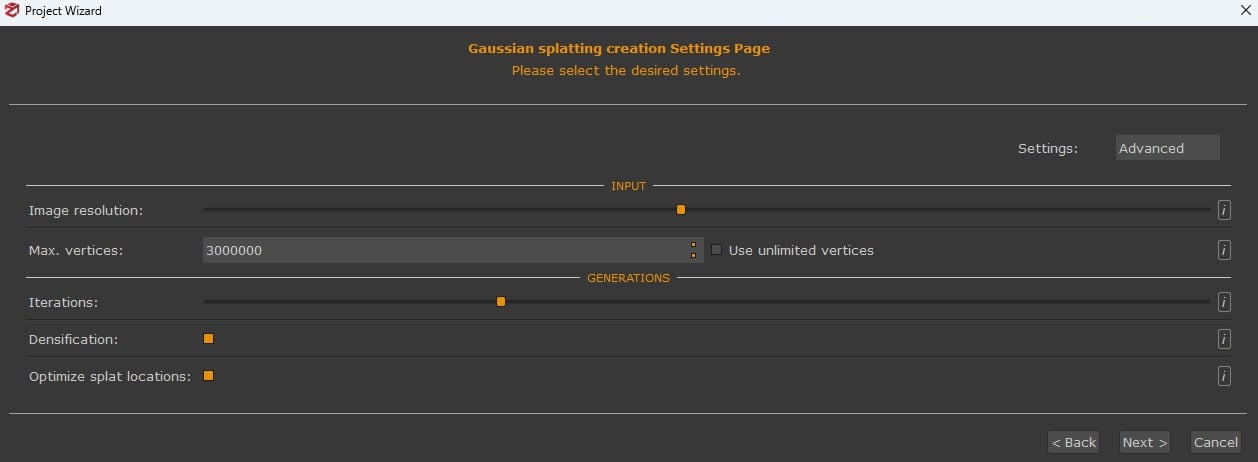
Zephyr’s documentation says splats are always generated from an existing structured point cloud in the workspace: the SfM sparse cloud, a dense cloud from Zephyr’s multi-view stereo, an external cloud such as a structured laserscan, or, for best results, a dense cloud refined by photoconsistency meshing. The result is a view-synthesis visualization, not a new geometric deliverable such as a mesh. Generation can be queued in the Project Wizard or started from Workflow > Advanced > Dense Point Cloud Generation. It runs on a single GPU only; CUDA cards perform best, OpenCL is slower, and CPU processing is strongly discouraged. Version 9.0 can also export Gaussian Splatting objects, and workspace merges now include them.

Blender 5.3 ships with native 3D Gaussian splat import and rendering

BlogCode & Tools

The Blender Foundation released Blender 5.3 on 10 November 2026, with native support for 3D Gaussian splats as the headliner of a release that wraps up the year. Splats can be imported from PLY and SPZ files as point clouds, then edited with Geometry Nodes and rendered in Workbench, EEVEE and Cycles. The official release notes and the 5.3 pipeline documentation also document import from glTF and from USD’s UsdVolParticleField3DGaussianSplat schema. There is currently no export support.

In Blender, a splat is a point cloud with a 3D Gaussian Splats type and extra attributes for scale, rotation, base radiance plus opacity, and higher-order spherical-harmonic coefficients. By default it renders with an emissive shader; the documentation describes only rudimentary relighting, by swapping the Emission node for a hard-surface BSDF, and notes that performance is still being optimized and that colour can look off because most authoring tools work in sRGB while Cycles and EEVEE render in linear space. Other 5.3 highlights include a DLSS viewport denoiser on NVIDIA GPUs, Vulkan as the default graphics backend on Windows (except ARM) and Linux, and asset libraries that can be shared as extensions.

Niantic Spatial's object-interaction beta lets you move objects inside a Gaussian splat

BlogIndustryCode & Tools

Niantic Spatial has launched object interaction, a beta that makes individual objects in a captured Gaussian splat environment selectable and movable in simulation, Radiance Fields reported on 10 November 2026. The feature separates whole objects from the surrounding splat, keeps each object’s appearance, and attaches collision information plus simplified, estimated physical properties. Those properties are a baseline for how objects interact, not a replacement for detailed physics simulation.

The workflow identifies candidate objects, extracts and cleans them, then represents each one so it can be selected, moved or removed to produce a different layout. Niantic Spatial built it for robotics teams whose robots work in places that change after capture, so a policy can be tested across varied layouts of the same recognizable environment. The tool joins splat relighting, introduced in September, which recomputes per-Gaussian spherical harmonics against an aligned mesh so collision and navigation meshes carry over. Used together, the two features vary layout and lighting in one captured environment without rebuilding it. Customers on the Deploy and Enterprise Embodied AI plans can pilot the beta on up to 10 scenes.

PlayCanvas Engine 2.24 streams XGRIDS LCC2 scenes and adds SOG v3, SPZ v3 and SH band 4

GitHubCode & Tools

PlayCanvas published Engine v2.24.0 on 9 November 2026, a large open-source release (MIT) that extends browser Gaussian splat rendering on WebGPU and WebGL2. The splat loader now reads SOG v3 (including over-unity opacity and typed blind fields), SPZ version 3, and XGRIDS LCC2 scenes, and it adds spherical-harmonic band 4 support for PLY files. Streaming chooses level of detail by walking a node hierarchy and starts with the coarsest LOD across the view; sorting can fall back to the CPU when a splat exceeds GPU storage limits, and anti-aliasing can be applied per splat, including a filter size read from the file.

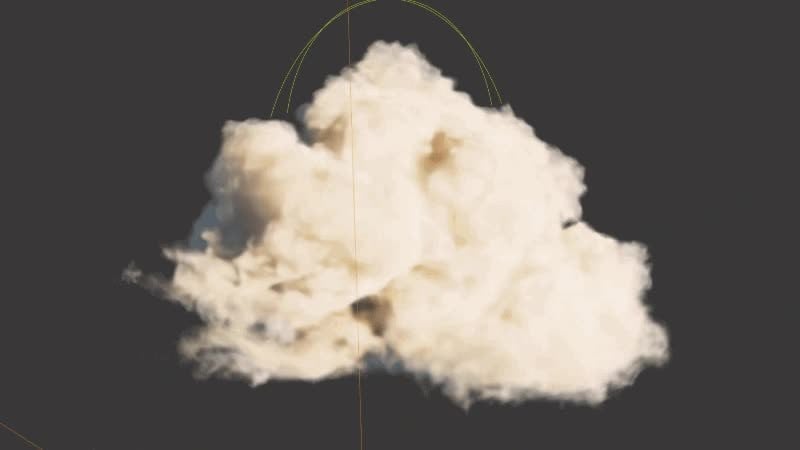
The same release rebuilds post-processing around a CameraFrame effect system, adding SMAA, auto exposure, lens flare, high-quality bloom and a DynamicSkyEffect with an analytic atmosphere, volumetric clouds, stars, the moon and haze across a day-night cycle. Planar reflections land in StandardMaterial, along with AgX and AgX Punchy tone mapping. New examples include a streamed LCC2 scene, a villa sales demo on a Gaussian splat capture, and several splat shader effects. On the PlayCanvas forum, the team says 2.24.0 is available as a release-candidate build in the Editor, with a plan to make it the default on or after 16 November 2026.

A desktop GUI batch-converts 3DGS scenes to PlayCanvas SOG or compressed PLY

GitHubCode & Tools

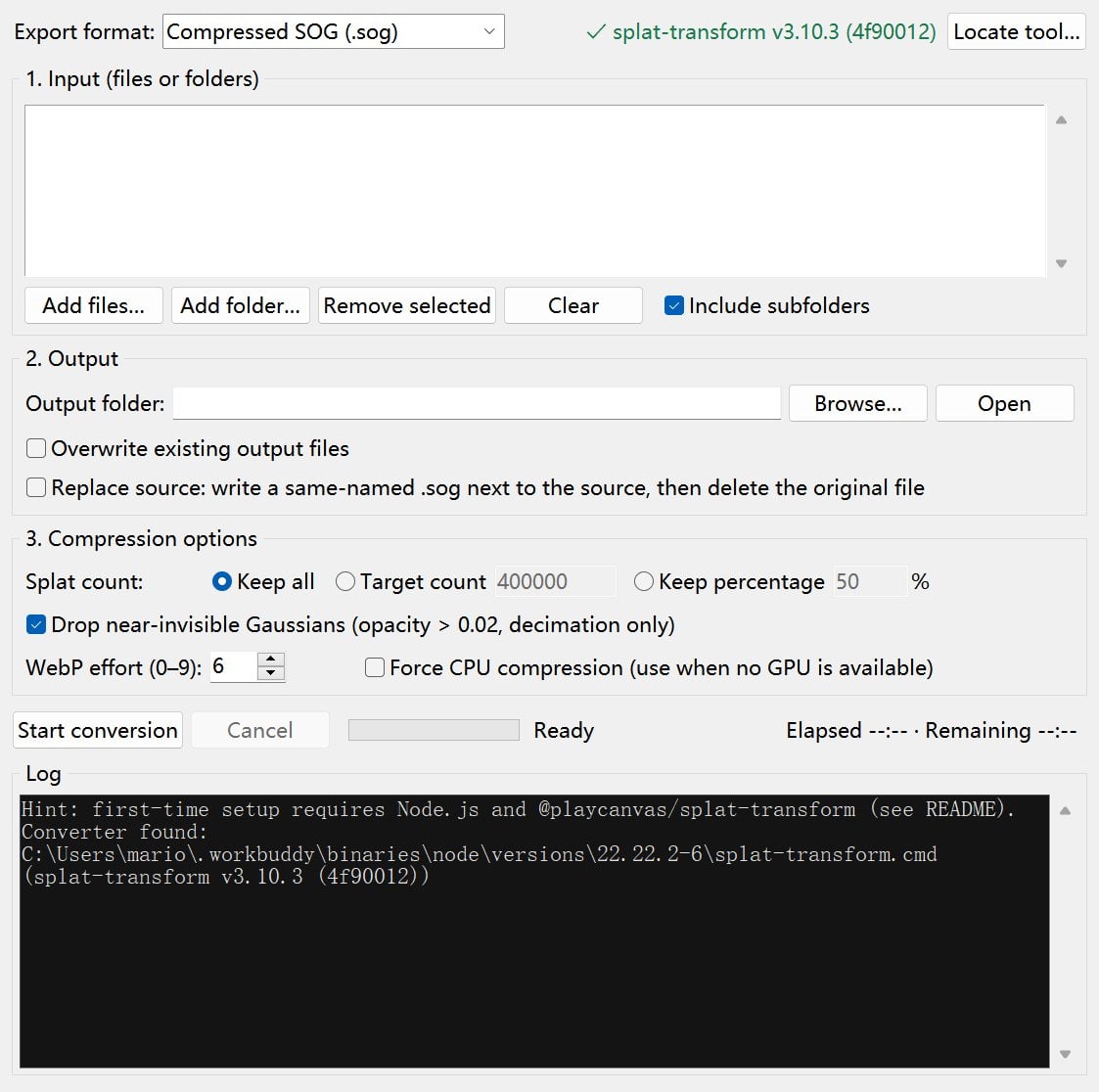
Mario-Hero/3dgs-sog-converter was created on 10 November 2026. The README describes an open-source desktop GUI, with Chinese and English interfaces, that batch-converts 3D Gaussian Splatting scenes into PlayCanvas SOG or compressed PLY files. Supported inputs include .ply (and .compressed.ply), .spz, .splat and .ksplat.

For one 64 MB SH0 PLY with 1,179,648 Gaussians, the README reports 11.6 MB as SOG and 18.3 MB as compressed PLY when keeping all points, or 4.5 MB and 6.2 MB after decimating to 400,000 points. The tool needs Python 3.9+ with tkinter and Node.js 18+ for splat-transform; a portable Windows zip with those dependencies bundled is mentioned on the Releases page.

Sasori Zero Labs shows live KIRI 3DGS assets inside Unity 6.3.2 and Ferrous

XIndustryCode & Tools

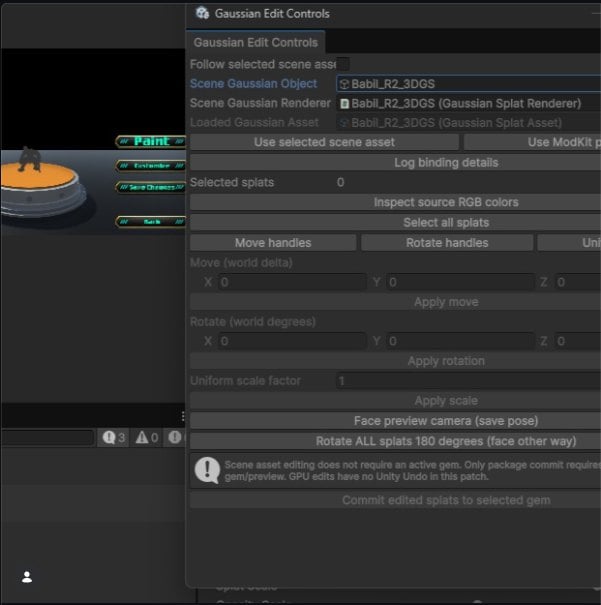
Sasori Zero Labs posted on 10 November that its KIRI Engine pipeline can now demonstrate live controls and real 3D Gaussian Splatting assets in Unity 6.3.2. The same post says Ferrous now accepts PLY files exported from a phone, with a feature for transferring those exported PLY files directly into Ferrous Modkit.

The announcement is a public post with an accompanying screenshot; it does not include a standalone product page or versioned changelog beyond what the post itself states.

YUBI-Real2Sim is presented at the CoRL 2026 late-breaking results session

XEventsCode & Tools

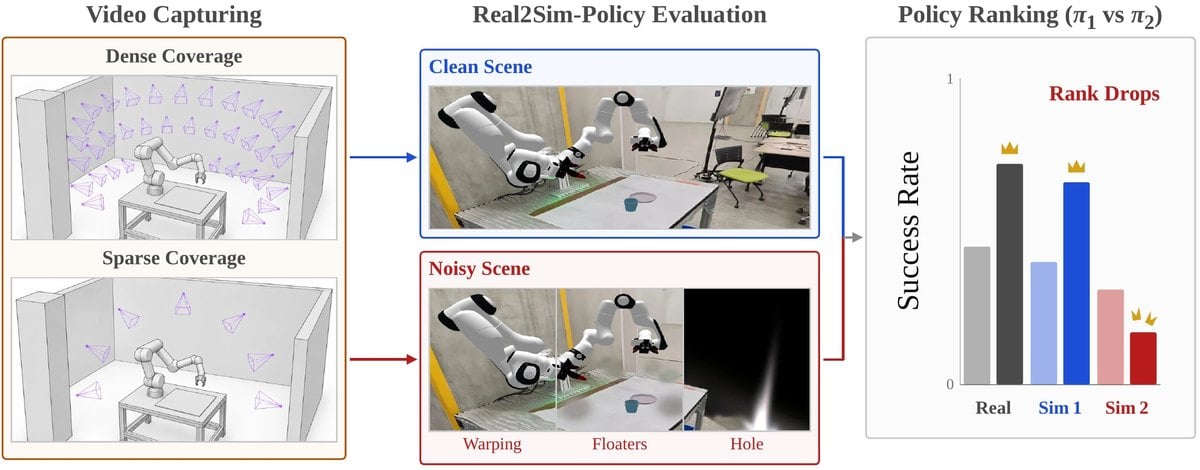
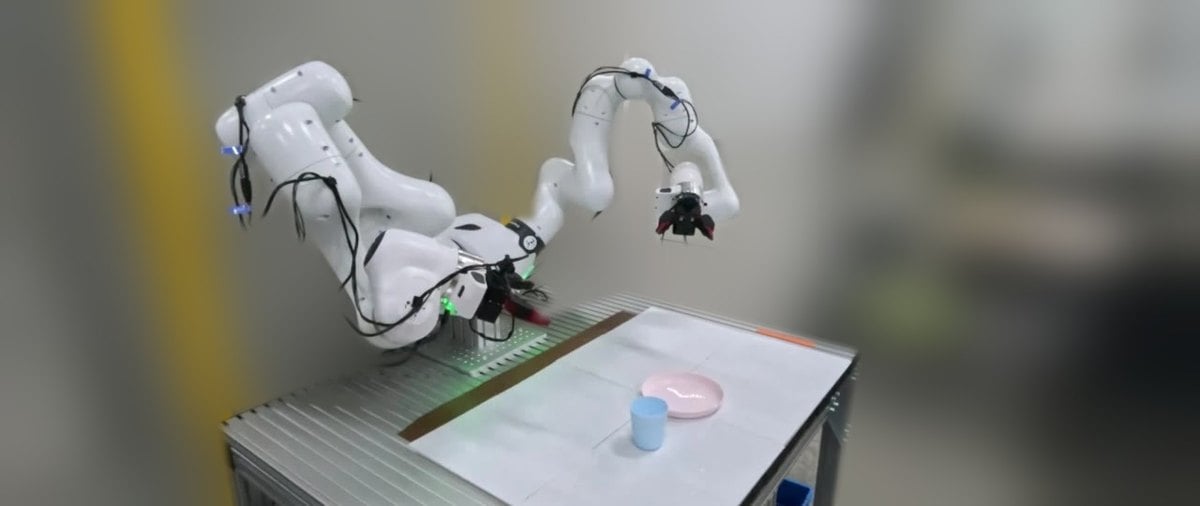
Hiroki Nishizawa (@hiro89264054) wrote on 10 November that an AIRoA project, YUBI-Real2Sim, would be presented that day (11/10) at the CoRL 2026 late-breaking results session and at the UMI workshop. The post describes a correlated real-to-sim pipeline for policy evaluation and says the work also looks at how 3D Gaussian Splatting quality affects that evaluation, and how hard those effects are to detect.

A separate post the same day introduces the MuJoCo-based simulator, which evaluates policies such as OpenPI π₀.₅ on a Franka FR3 with 3DGS room backgrounds, and points to the airoa-org/yubi-real2sim GitHub repository.

Tijerín Art Studio rebuilds Quick GS Editor on Spark and ships a Windows Pro edition

BlogCode & ToolsIndustry

Radiance Fields reports that Tijerín Art Studio has rebuilt its free browser editor, Quick Gaussian Splat Editor, on World Labs’ Spark renderer and has also released Quick GS Editor Pro, a paid Windows edition. The studio says the rebuilt editor renders over 100 million points across multiple 3DGS assets in one scene; the free edition still runs in the browser with no download.

The Pro build is a portable 191 MB Windows app that runs offline. It can install VAST’s TripoSplat locally for single-image splat generation (listed minimum: an NVIDIA GPU with 6 GB of VRAM and CUDA 12.1, plus a slower CPU fallback), adds an HDRI Reflect Engine for custom spherical harmonics, and includes an experimental particle fluid simulator that bakes to a timeline and exports sequential PLY frames. Neither listing gives a version number or source code; both carry an itch.io AI-assisted-code disclosure. Pro is listed at $8.99 or more on itch.io.

Seen from twelve sides is a from-scratch NumPy 3DGS fit shown in the browser

GitHubCode & ToolsShowcases

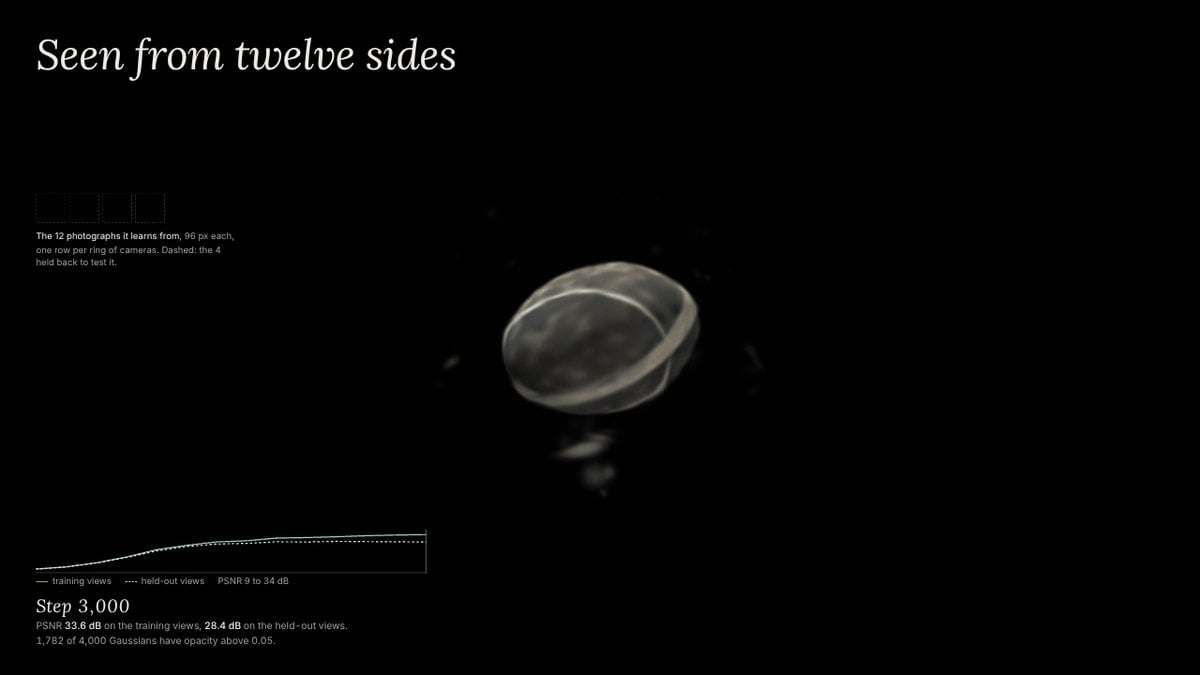
joezgao/seen-from-twelve-sides was created on 9 November 2026. The README describes a 3D Gaussian Splatting fit written from scratch in NumPy and displayed in the browser: twelve rendered photographs of a procedural stone go in, and a cloud of 4,000 Gaussians comes out.

The page lets a viewer scrub through training, show the training cameras, and hold H to compare a held-out camera’s photograph with the Gaussians rendered from the same pose. A live demo is linked at joezgao.github.io, with no install required beyond a recent browser.

GSRhino 0.1.0-beta.5 draws Gaussian splats inside Rhino 8 on Mac

BlogCode & Tools

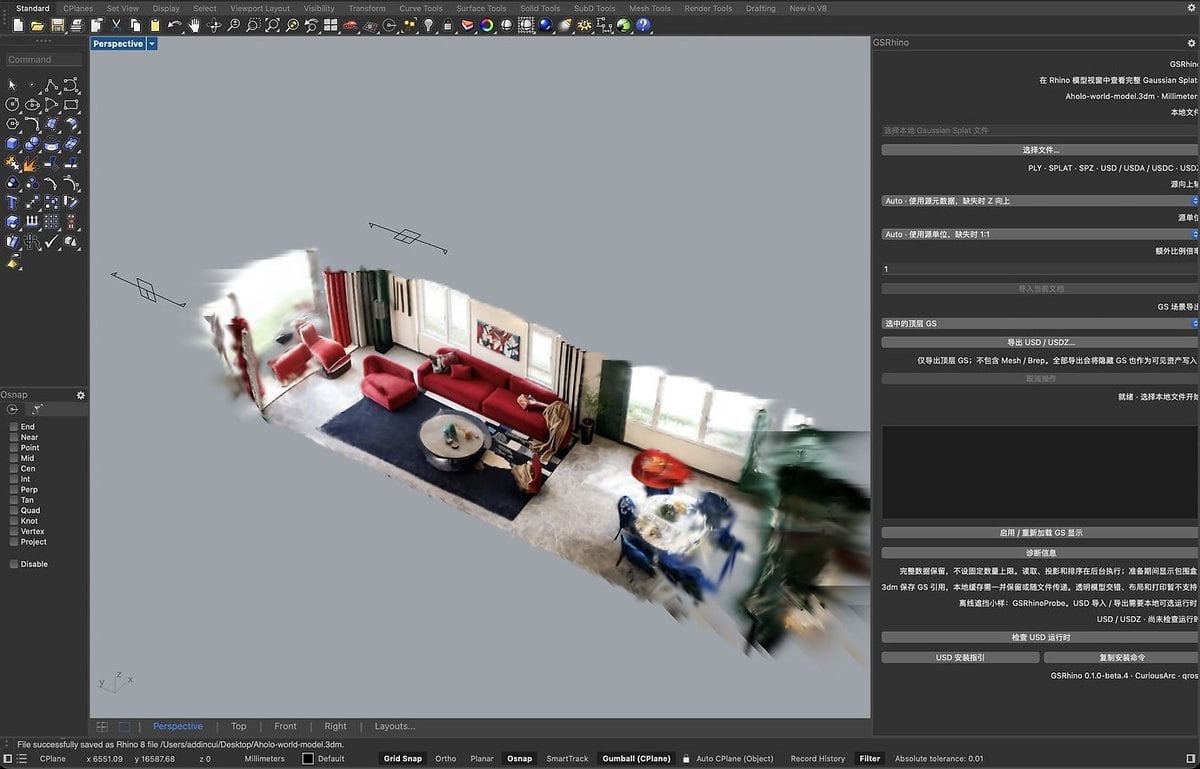
Radiance Fields reports that CuriousArc and QROST have released GSRhino 0.1.0-beta.5, a public macOS beta that draws Gaussian splats natively in a Rhino 8 display mode. The plugin keeps the full Gaussian data on import, rendering anisotropic splats with opacity and view-dependent spherical harmonic color up to degree 3; other display modes show each splat object as a reference box.

Import covers ASCII and binary 3DGS PLY, 32-byte .splat records, and SPZ versions 1 through 4, while SPZ files with degree-4 harmonics are rejected. The tool also imports and exports static OpenUSD scenes that use the ParticleField3DGaussianSplat schema added in OpenUSD 26.03, with an optional local Python 3.11–3.14 environment for usd-core 26.11. Rhino 8.32 or later is required.

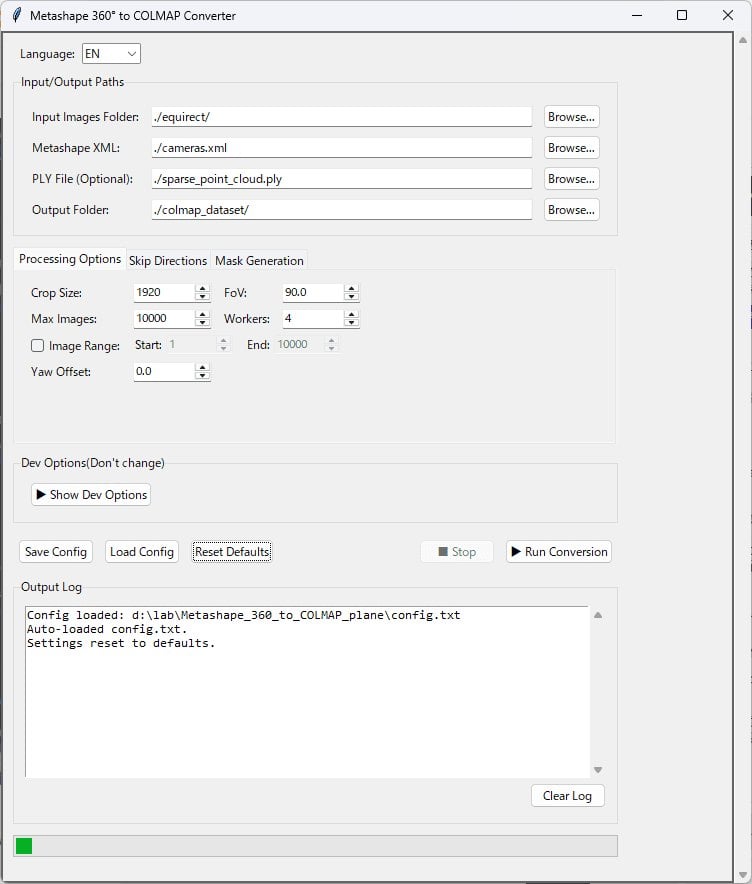
360 MCConverter V1.7.0 reads Metashape dense point clouds for 3DGS training

BlogCode & ToolsHardware

Radiance Fields reports that developer kotohibi has released 360 MCConverter V1.7.0, a paid Windows GUI that converts Agisoft Metashape 360° structure-from-motion results into COLMAP cubemap datasets for Gaussian splatting training. The new version can read Metashape’s dense point cloud, which is built from depth maps after alignment, rather than only the sparse tie-point cloud produced by camera alignment.

The V1.7.0 changelog, as quoted in the article, describes the dense-cloud path as intended “for more stable 3DGS training.” Earlier versions added direct loading of Metashape .psx projects, AprilTag scale written back into the project, and a Train Splitter for large scenes or limited VRAM. The multi-user license is listed at 12,500 JPY, perpetual, for any number of users in one organization, with commercial use permitted and redistribution prohibited; the app is sold on BOOTH.

SpatialView indexes Gaussian splat scenes so AI agents can query them in language

BlogIndustryCode & Tools

Radiance Fields reports new work from Vancouver-based SpatialView on using radiance-field captures as a data source for AI agents. Rather than depending on the original survey photographs, the pipeline renders a compact set of virtual views from the finished Gaussian splat, embeds each view with an image-text model, and stores it with its camera position as a “scene matrix.”

A query such as “where is the fire extinguisher?” returns the best-matching rendered views and their locations in the 3D model. On a 1.8-million-Gaussian cabin scan with source photos withheld, SpatialView reports that 122 virtual photographs were enough to index the scene, compared with 362 photos in the original capture, with framing and embedding taking under two minutes. The write-up includes a browser demo of that cabin.

Splat3D Swift SDK 1.1.0 records ARKit poses for hosted Gaussian reconstruction

BlogHardwareCode & Tools

Radiance Fields reports that Splat3D has released Swift SDK 1.1.0, which records ARKit camera poses during an iPhone capture and sends them to Splat3D’s hosted Gaussian splatting API. The API accepts a phone video, a photo set or an ARKit capture and returns a splat as SPZ, PLY or SOG; reconstruction is described as running GLOMAP and gsplat on cloud GPUs.

Version 1.1.0, dated 4 November in the article, adds SplatScene.estimatedTimeRemaining from the API’s eta_seconds field. SplatScanner, which needs a physical iOS device, records H.264 video, samples poses at about 10 fps and can collect LiDAR points, using ARKit gravity for the scene up direction. The SDK requires iOS 16 or macOS 13 and Swift 5.10; Splat3D lists 100 free credits at signup and scenes “from $1.”

Gaussian Splat Lite 1.7.0 shares SH codebooks and tightens rotation encoding

GitHubCode & Tools

WilliamLiu-1997 released Gaussian Splat Lite v1.7.0 on 6 November 2026. The changelog says RAD and SOG models that use spherical-harmonic codebooks now keep one shared codebook instead of per-splat SH coefficients, including when streaming, which can cut CPU and GPU memory for splat attributes by up to 25%, 43.75% and 62.5% for SH1, SH2 and SH3 depending on codebook size.

Stored splat rotations move to 32-bit smallest-three quaternions, with existing model files remaining compatible. Load-time transforms now expose only position, scale, quaternion and opacity, so postDecode no longer receives alpha, color or SH, preserving the shared codebooks. A smaller v1.6.2 release on 3 November had changed radial sorting to use camera distance instead of squared distance.

MosaicEarth Desktop adds local Gaussian reconstruction to a drone-mapping workspace

GitHubCode & ToolsHardware

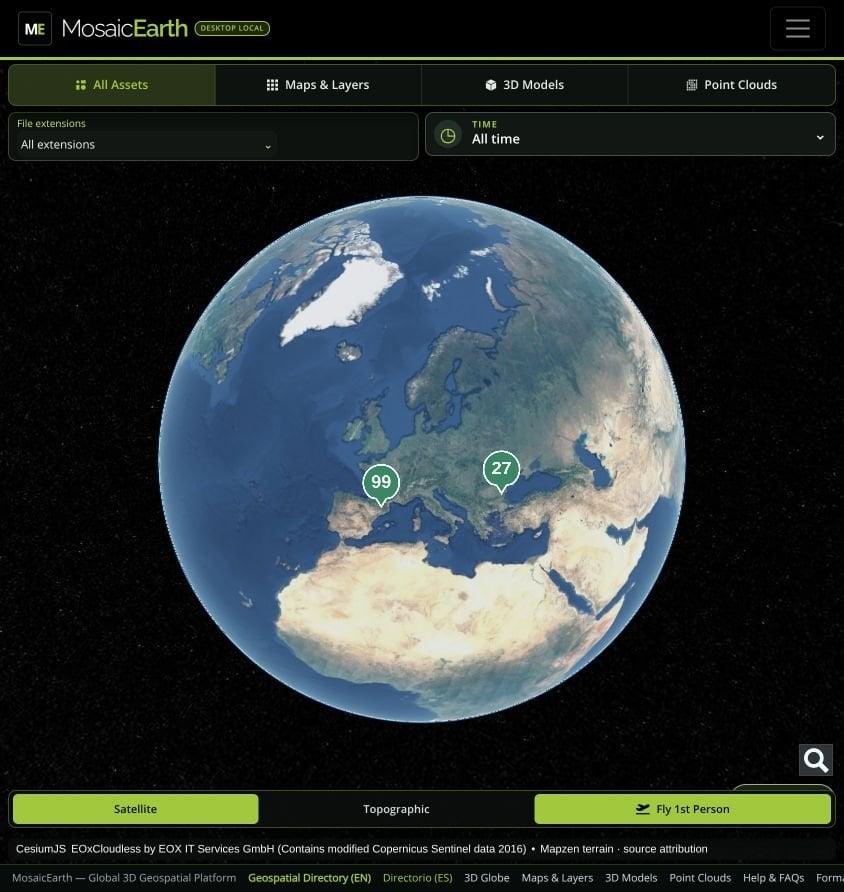
The nsicart/MosaicEarth-Desktop repository was created on 6 November 2026. The README describes a Windows and Linux application that runs the MosaicEarth web interface locally, keeping projects, original photographs and results on the user’s disk, with optional cloud sync.

Besides NodeODX/ODX photogrammetry for orthophotos, elevation models, point clouds and meshes, the desktop build can reconstruct Gaussian scenes from overlapping imagery with COLMAP and OpenSplat, then organize surveys in MyEarth and inspect georeferenced layers in MyMosaics, including a Fly View. GPU use is automatic when NVIDIA CUDA is available inside Docker, with a CPU fallback.

rangle is a free-viewpoint sports replay app built on Gaussian splat reconstructions

GitHubCode & ToolsShowcases

Hosi121/rangle was created on 6 November 2026. The README, written in Japanese, describes a Flutter web app for finding sports highlights in a vertical feed and scrubbing both time and viewpoint, with calibrated multi-view footage reconstructed in the cloud as 3D or 4D Gaussian Splatting and decoded on the device.

The project already lists viewing, generation, social features and a LIVE path that trains models as multi-view recordings arrive, with eight models published from a Tokyo T4 instance, while noting that a sustained 30-second live delay, real camera input, phone performance, large-scale viewing and Gaussian ABR switching are still unproven. Original code is MIT licensed.

Iconem streams Gaussian splat 3D Tiles into the Blender viewport

BlogCode & Tools

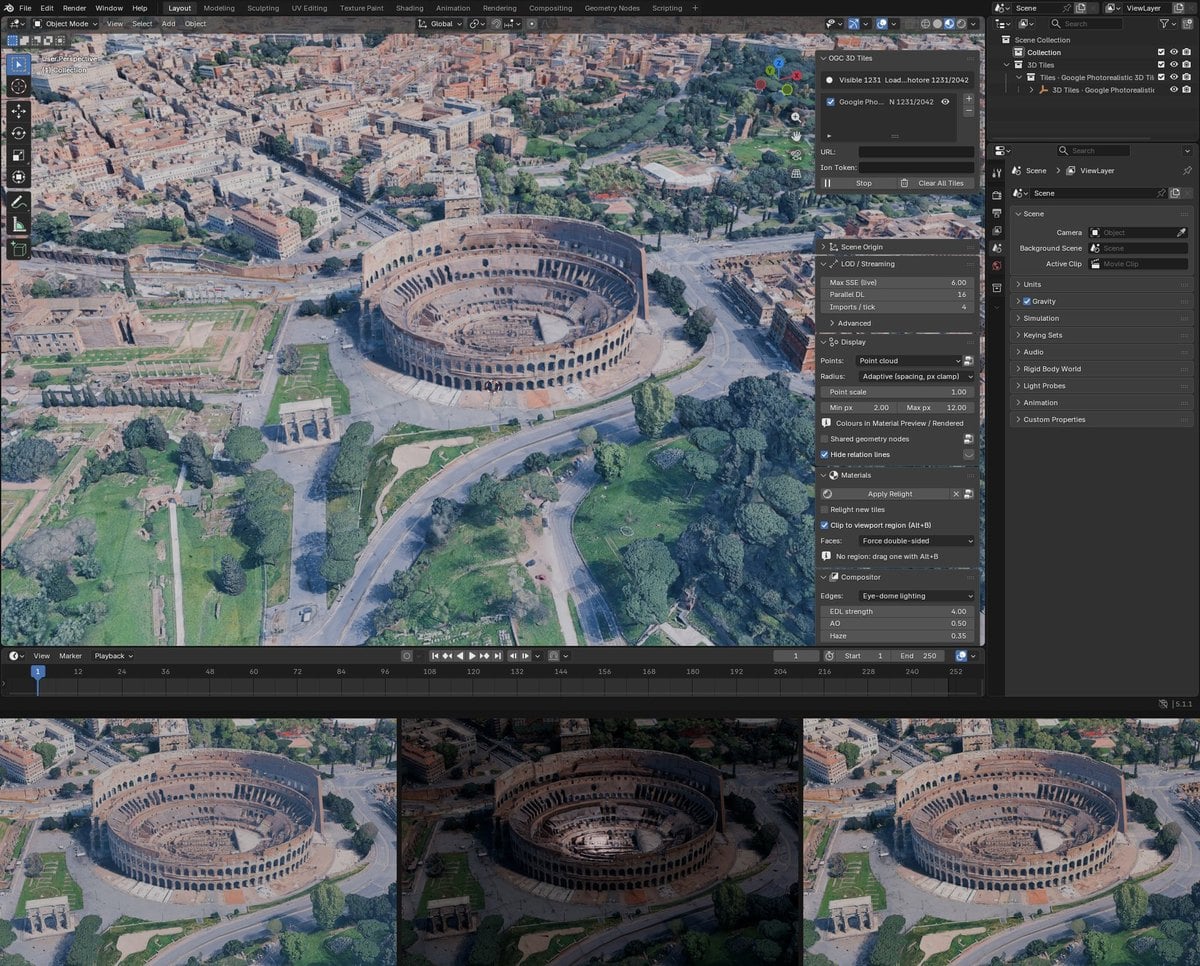
Radiance Fields reports that Iconem has released blender_ogc3dtiles v0.5.1, a free MIT-licensed Blender add-on by CTO Jonathan Chemla that streams OGC 3D Tiles, including Gaussian splatting tilesets, around the viewport or render camera. Splat support first shipped in v0.4.0 on 4 November, with v0.5.0 and v0.5.1 following the same day; GitHub release notes confirm those tags.

Splat tiles must carry the KHR_gaussian_splatting glTF extension, SPZ-compressed or uncompressed, and are decoded through an optional cesium-native backend. On the Blender 5.3 beta they become native Gaussian splat point clouds for Workbench, EEVEE and Cycles; on earlier 4.2+ versions the same tiles show as colored points. Sources can be Google Photorealistic 3D Tiles, Cesium ion, or local and network tilesets.

PlayCanvas releases SuperSplat for Blender 0.1.0

GitHubCode & Tools

PlayCanvas published the SuperSplat for Blender extension repository on 5 November 2026. The README describes early software that imports SuperSplat scenes into Blender 5.3 or later by a superspl.at link or scene ID, but only when the owner has enabled downloads, and can publish a selected splat back as an unlisted standard 3DGS PLY.

Import can bring SSOG scenes at a chosen detail level with an optional environment object, and an Attribution panel plus a SuperSplat Attributions text block record author and license. Publishing can convert Blender’s Z-up axes to the 3DGS convention. The extension is MIT licensed and needs a PlayCanvas API token, stored in the macOS Keychain or an owner-only file rather than in Blender preferences.

YUBI-Real2Sim evaluates robot policies in MuJoCo with 3D Gaussian backgrounds

GitHubCode & Tools

The airoa-org/yubi-real2sim repository was created on 4 November 2026. Its README describes a simulator that evaluates an OpenPI pi-0.5 policy on a Franka FR3 with bimanual YUBI in MuJoCo, using a 3D Gaussian Splatting room capture as the background, on a cup-on-a-plate task that writes scored rollouts, logs, videos and a summary.

The repository code is Apache-2.0, but the included 3DGS renderer (GaussianWrapping) is non-commercial, so the full pipeline cannot be used commercially. The README links a project page and an October arXiv paper; the GitHub project itself appeared on this date.

Unity Gaussian Splatting 2.0.0 loads PLY and SPZ files directly

BlogCode & Tools

Radiance Fields reports that Aras Pranckevičius has released Unity Gaussian Splatting 2.0.0, which points a GaussianSplatRenderer at a .ply or .spz file instead of running the earlier “create gaussian asset” import step. The SPZ reader now covers versions 1 through 4, including SPZ 4’s zstd-compressed streams, and sorting is global so intersecting splat objects blend correctly; a new Stochastic render mode skips sorting in favour of noisy alpha testing.

The same release removes the project’s splat editing and cutout tools, with Pranckevičius pointing users to SuperSplat Editor. Unity 2022.3 is the minimum version, DX12, Metal and Vulkan are the supported APIs, and the project readme states that as of November 2026 no significant further development is planned. The MIT-licensed code is on GitHub; the v2.0.0 tag itself was published on 2 November.

Spirula Studio v2026.10.30 aligns reconstructions from AprilTag and ArUco markers

BlogCode & Tools

Spirula Studio v2026.10.30 can orient and scale a Gaussian splat reconstruction from AprilTag and ArUco markers placed in the scene. The experimental marker tool detects AprilTag tag36h10 and tag36h11 or ArUco 4×4 to 7×7 markers, triangulates each one from the camera poses, and uses three markers to define the origin, the positive X axis and the ground plane, with the measured distance between the first two setting metric scale; the transform is baked into the COLMAP reconstruction and the trained splat PLY. Without markers, the editor can scale a model from the known distance between two picked points.

The release also adds MoGe 3 and Marigold v2 for depth and normal estimation, can skip blurry and near-duplicate frames, parses RealityScan-style masks, and splits QooCam 3 Ultra raw footage into two fisheye lenses with IMU data. Training changes target web viewers and quality after compression, with better compatibility with PlayCanvas and Spark, though no metrics are published. The GPL-3.0 code is on GitHub.

SuperSplat adds creator follows, a new home page and two-handed XR

ForumCode & Tools

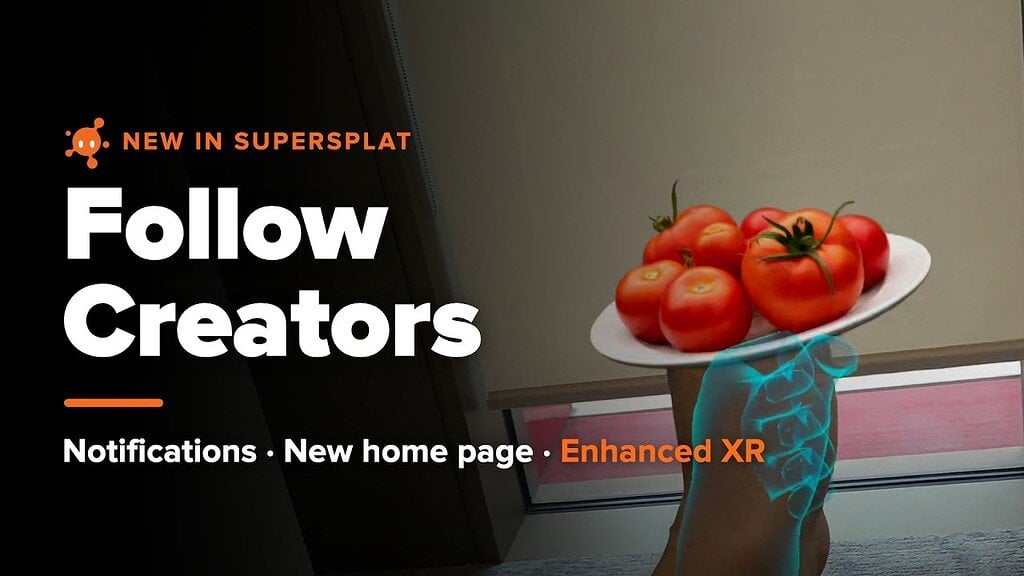
PlayCanvas shipped an update to SuperSplat on 29 October that adds creator follows and notifications on superspl.at, redesigned home and search pages, and a substantially faster XR mode. Users can follow creators from a profile, a scene or a comment hover card, and new splats appear in a Following tab; a Spotlight row collects walkable worlds, free downloads and featured work, and search filters for Walkable, Downloadable, time period and sort order sit in the open.

In XR, two-handed grips can drag, turn and scale a scene from a quarter of its size to 4×, and the scene returns to the creator’s placement when the session ends. On a Quest 3, a large streamed scene went from 9.7 fps to 30.7 fps, or 40.3 fps with Quality set to Performance, and the viewer now targets up to 1 million splats at 72 Hz with fixed foveation. Uploads that take longer than 20 minutes no longer fail, .spz and XGRIDS LCC2 files can be uploaded, and scenes over 40 million splats get LODs automatically.

KIRI Engine 4.3 speeds up Gaussian splat training on iOS and Android

BlogCode & Tools

KIRI Engine 4.3 is out on iOS and Android, with the Google Play listing updated on 22 October and the App Store release on 24 October. Identical store notes list improved 3DGS training speed and quality, a redesigned capture experience, a 7-day free trial on the yearly plan, and bug fixes, but neither store gives a figure for the speed gain or says which aspects of quality changed.

KIRI’s 4.3 announcement, posted on Instagram on 27 October, adds that Featureless Object Scan is now combined with 3DGS Scan into one workflow for shiny, reflective and transparent objects, and also lists Auto Capture and smoother Gaussian splat backgrounds, neither of which appears in the store notes. On KIRI’s pricing page, 3DGS Scan with mesh output is listed under the Pro plan, and the yearly plan renews at USD 79.99 once the trial ends.

Xangle Orbit v26.10.27 adds a Splat Player assistant and branding kits

BlogCode & Tools

Xangle released Orbit v26.10.26 on 26 October and v26.10.27 a day later, growing the multi-camera app into a pipeline from capture through splat training, editing and delivery. Version 26.10.26 adds a Splat Player assistant that takes written descriptions of camera movements and effects, alongside radial depth-echo layouts, red-carpet flash effects, branding kits that bundle watermarks, overlays, intros, outros and music, and delivery emails in corporate or friendly templates.

Version 26.10.27 lets the assistant find, count and open Library shots by date and build branding kits from approved local files, showing proposed changes for review before saving, and adds a Chromakey panel split into Source, Result and Output views. Local training can run through Postshot or Spirula as well as Xangle Cloud, and PLY is among Orbit’s export options.

Unity Gaussian Splatting v1.1.2 fixes orthographic cameras

BlogCode & Tools

Aras Pranckevičius has released v1.1.2 of his Unity Gaussian splatting plugin, the first tagged release since v1.1.1 in April 2025. The v1.1.2 tag was published on 25 October. A contribution from wells2kb makes orthographic cameras render splats correctly, by having CalcCovariance2D detect an orthographic projection matrix and build its Jacobian from a constant focal length instead of dividing by view depth.

The importer now accepts lower-order spherical harmonics in both PLY and SPZ files, though the SPZ reader still accepts only version 2 and does not load SPZ 4.0’s zstd-compressed containers. The release also fixes a crash when expanded PLY data passes 2 GB, ignores non-vertex PLY properties that had broken files produced by Apple SHARP, and improves compositing with skyboxes. The MIT-licensed package targets Unity 2022.3.

3DGS Weather adds rain, snow and puddles to splat scenes in the browser

BlogCode & ToolsShowcases

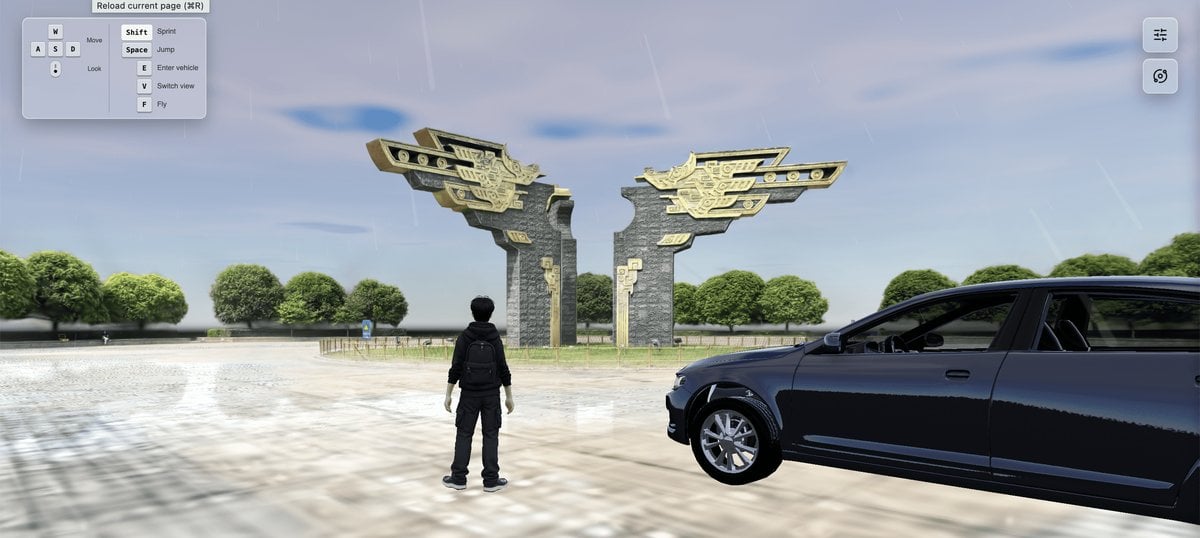
A developer known as hh-hang has published 3DGS Weather, an open-source browser project that adds rain, snow, lightning and puddle reflections to a Gaussian splat scene. The project loads the environment as a SOG splat and pairs it with a hidden glTF collision mesh for collision detection and depth occlusion, so a walking character and a drivable vehicle can move against the mesh and precipitation can sit correctly in front of and behind the splats.

A Spark shader modifier blends ambient light, a sun that tracks the time of day, vehicle headlights and up to four flood lights into the splat colors, with depth maps from the collision mesh blocking those beams. The TypeScript project runs on three.js r186 and Spark, is licensed under GPL-3.0, and has a live browser demo on GitHub.

CHCNAV CoCloud adds a renderer that preloads 3DGS models of up to 5 GB

BlogIndustryCode & Tools

CHCNAV has updated CoCloud, its cloud processing platform, with a new rendering engine for 3D Gaussian splatting models. CoCloud already generated point clouds, orthophotos, 3D models and 3DGS results from uploaded field data; CHCNAV says the new engine preloads 3DGS models of up to 5 GB in seconds, but it does not state the splat counts, file formats or client hardware behind that figure, or whether 5 GB is a hard ceiling.

The company also credits expanded cloud capacity with making CoCloud data processing 20% faster, and it adds AI pedestrian filtering, point cloud denoising and real-time job progress tracking. CHCNAV has published no version number or release notes for the update, which it announced on LinkedIn.

Abu Align & Train puts camera alignment and splat trainers in one desktop app

BlogCode & Tools

Ahmad Emranian has released Abu Align & Train v0.1.5.8, a free desktop app that puts camera alignment, a 360 rig splitter and Gaussian splat training in one interface. Only COLMAP ships with the app; OpenSfM, Niantic ACE0, NVIDIA cuSFM, VGGT-Omega, NVIDIA VGG-T3 and 360DVO are external integrations users install separately. Training runs through LichtFeld Studio, Nerfstudio Splatfacto, NVIDIA 3DGRUT and PFGS360, and exports cover COLMAP sparse models, Nerfstudio transforms.json, RealityScan camera rigs, and .ply and .spz Gaussian models.

Version 0.1.5.8 ships as a Windows 10 and 11 x64 installer, a Linux x86_64 AppImage and a macOS Universal disk image, which are bootstrap installers whose first run downloads Python and its dependencies. The repository carries mixed licensing, including Meta’s VGGT License and noncommercial terms on several engines, and the README states that free pricing and automatic model downloads do not remove those restrictions. The app is on GitHub.

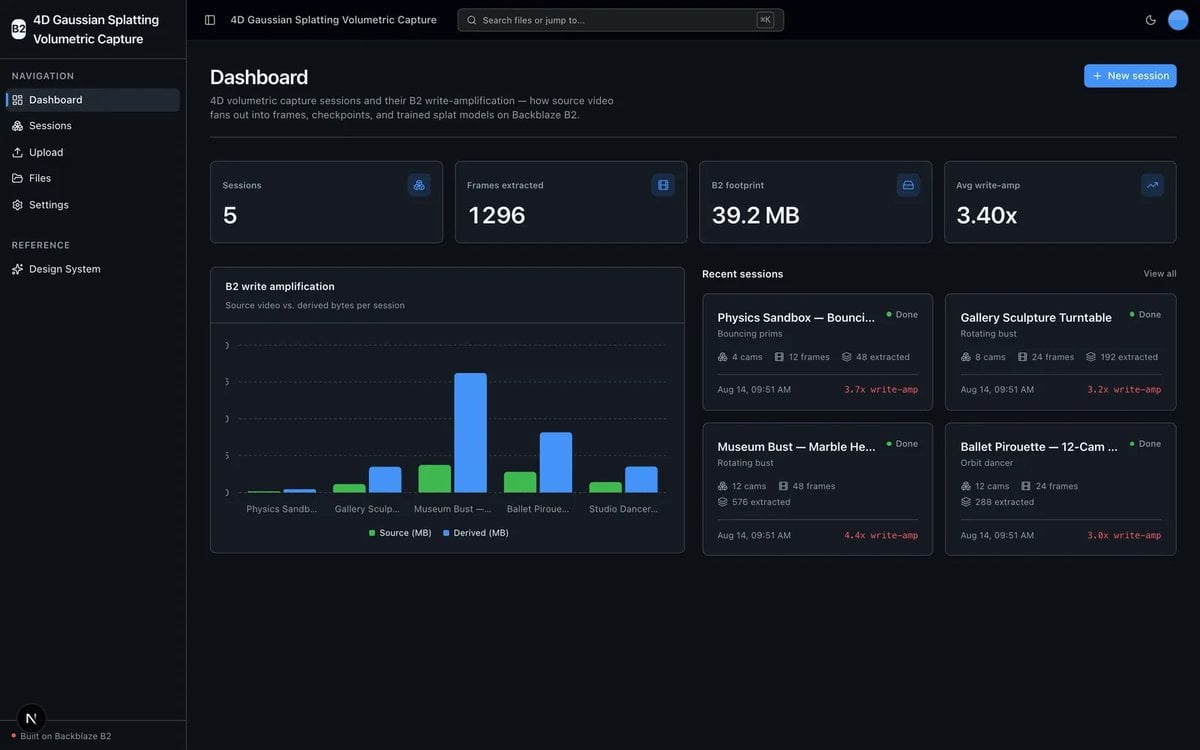
Backblaze open-sources a template that trains 4D Gaussian splats into B2

BlogCode & Tools

Radiance Fields reports on Backblaze Labs’ MIT-licensed 4D Gaussian Splatting Volumetric Capture template, which turns synchronized multi-camera video into a hustvl/4DGaussians dataset and a trained splat stored in Backblaze B2. Ingest, frame extraction with a bundled ffmpeg, calibration, a sparse initial point cloud, dataset staging, previews and storage reads and writes run on CPU; a setup script clones 4DGaussians and builds its two CUDA submodules, after which the app calls train.py in an isolated subprocess and uploads checkpoints and the final .ply to B2.

On a host without CUDA the training stage is gated off and the app prints the exact train.py command to run on a GPU machine. The web app runs on Next.js 16 and React 19, the API on FastAPI, and the template deploys to Vercel as a single project where training does not run. Backblaze labels the project a sample, unsupported and without an SLA, and warns that the deployed API is unauthenticated with bucket-wide access.

Spirula Studio v2026.10.16 adds spherical beta lobes and RoMa v2 initialization

BlogCode & Tools

Spirula Studio v2026.10.16 adds spherical beta, a view-dependent color model from Deformable Beta Splatting, as an alternative to spherical harmonics. Each splat carries a few explicit specular lobes, each one six numbers for color, direction and sharpness; the Gaussian kernel and the 3dgs, mip and 3dgut primitives are unchanged. Spherical beta runs in Vulkan builds only, and the CUDA launchers refuse a model with lobes.

Against SH 3, two lobes scored 31.57 versus 31.31 PSNR on bonsai, 29.55 versus 28.70 on counter, 27.07 versus 26.68 on garden and 31.36 versus 31.35 on room, and on bonsai they cut splat VRAM from 351 MiB to 222 MiB. The same release adds a spirula dense command that builds a colored point cloud with RoMa v2 through the existing Vulkan inference layer, with no Python, PyTorch or ONNX Runtime dependency. The GPL-3.0 code is on GitHub.

Babylon Lite 1.33.0 streams large splat scenes in the browser over WebGPU

BlogCode & Tools

The Babylon.js team has released Babylon Lite 1.33.0, which streams large Gaussian splat scenes in the browser through WebGPU. A lod-meta.json manifest divides a scene into a spatial hierarchy whose leaves hold alternative levels of detail as loose SOG version 2 chunks; the library draws a coarse version as soon as the first shared file reaches the GPU, then swaps in finer chunks under separate limits on splat count, CPU memory, GPU memory, requests and decodes.

Developers call loadGaussianSplatStream, and the default budget is 1,000,000 splats. Color is limited to the base spherical harmonic band, so the loader rejects higher-order harmonics, packed .sog archives and SOG version 1, and there is no WebGL or CPU-sort fallback. The package is on npm as @babylonjs/lite under the Apache-2.0 license.

Gauss Cannon v1.3.0 writes COLMAP datasets with depth and normal maps

BlogCode & Tools

Arash Keshmirian has released Gauss Cannon v1.3.0, which turns the Blender add-on into a COLMAP-only dataset generator. Version 1.3.0 drops the earlier transforms.json export used for LichtFeld Studio, Postshot and Brush, and instead writes a COLMAP sparse model that those trainers can read directly, along with 16-bit planar z-depth maps, 8-bit camera-space normal maps and a geometry_maps.json file that records the scale and encodings.

The add-on now requires Blender 5.0, up from 4.2, because the maps rely on Blender 5 compositor node groups and its bundled OpenImageIO, and the pointcloud.ply output is now always Z-up. LichtFeld Studio and Spirula Studio both read the format; the panel warns when Ray Density is below 32, the level Gauss Cannon recommends for LichtFeld depth supervision. The GPL-3.0 code is on GitHub.

Splatypus 0.1.0 trains Gaussian splats from photos or video inside Grasshopper

BlogCode & Tools

Radiance Fields reports that developer ZemingLi has released Splatypus 0.1.0, a free Grasshopper plugin that turns photos or video into a trained Gaussian splat PLY inside Rhino 8. The plugin chains FFmpeg for media import, COLMAP for camera reconstruction and Brush for training through a shared local project folder, and it previews an exported PLY as a colored point cloud rather than as a Gaussian splat viewport renderer.

Splatypus requires Rhino 8.34 or newer running .NET 8, with Grasshopper. Windows x64 is the primary target, and a separate macOS package automates tool installation on Apple Silicon only; FFmpeg, COLMAP and Brush are not bundled and are downloaded on request or supplied through a manual path. The plugin is listed under the MIT license on food4rhino.

Xangle Orbit v26.10.11 adds per-item crops and low-resolution editing proxies

BlogCode & Tools

Xangle released Orbit v26.10.11, expanding Gaussian splat editing in its multi-camera dataset app with per-item crops, low-resolution editing proxies, orbital trails and smoother camera-motion controls. Orbit can send splat processing to Xangle Cloud on a credit basis, and it now exposes matching and camera-model settings for Spirula Studio, which had added laser-scan inputs in v2026.10.6.

Orbit processing workers can also join render farms, with controls for providers and tasks plus job tracking and logs. Radiance Fields later covered this release together with the v26.10.26 and v26.10.27 updates that followed later in the month.